Nightingale MySQL Query Alert Rules
Scenario 1: Configure MySQL Single Condition Alert Rule
Value Field
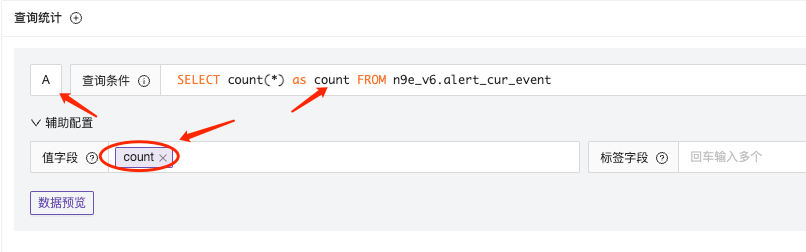
In the query condition SQL statement, select the column name you want as the value field for the query result. As shown in the figure below, I alias count(*) as count and use the alias count as the value field to get the result of query condition A.
Label Field
Use GROUP BY fields as label fields, and alerts will be grouped by this field for alerting.
Scenario 2: Place Filter Fields in WHERE Clause for Filtering
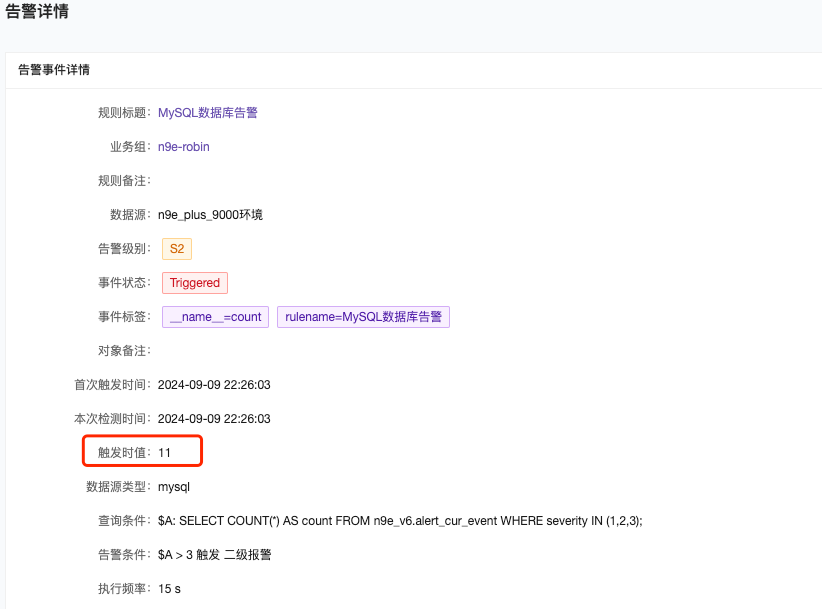
The following query statement: Calculate the number of active alerts with severity levels 1, 2, and 3.
SELECT COUNT(*) AS count FROM n9e_v6.alert_cur_event WHERE severity IN (1,2,3);
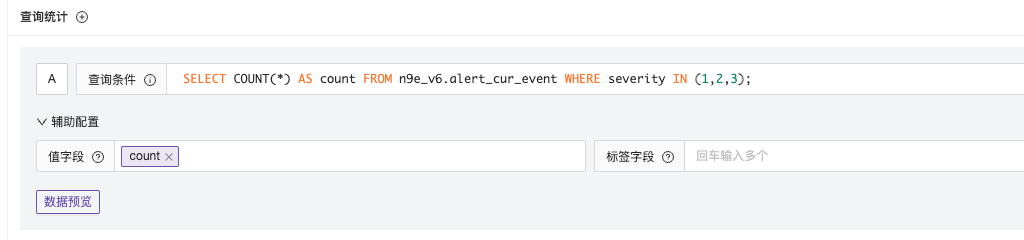
When the alert is finally generated, only the count value will be displayed.
Scenario 3: Place Filter Fields in WHERE Clause for Filtering and Group Alerting
Set the query condition to group by severity and set severity as the label field.
SELECT severity as severity,COUNT(*) AS count FROM n9e_v6.alert_cur_event WHERE severity IN (1,2,3) GROUP BY severity;
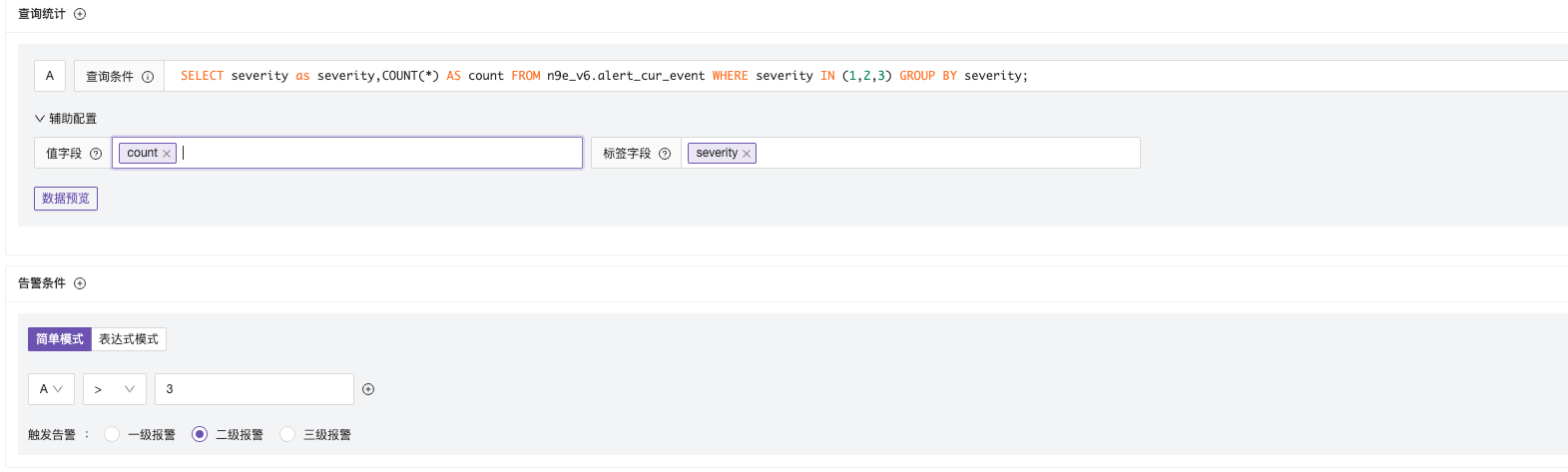
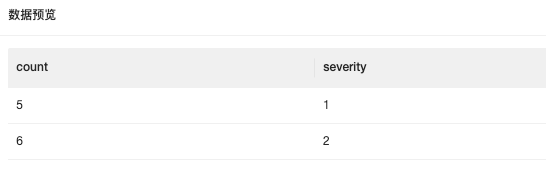
By comparing the alert time with the data preview, we found that after using severity grouping, alerts will be grouped according to the label field.

Scenario 4: Multiple Query Conditions Expression Mode
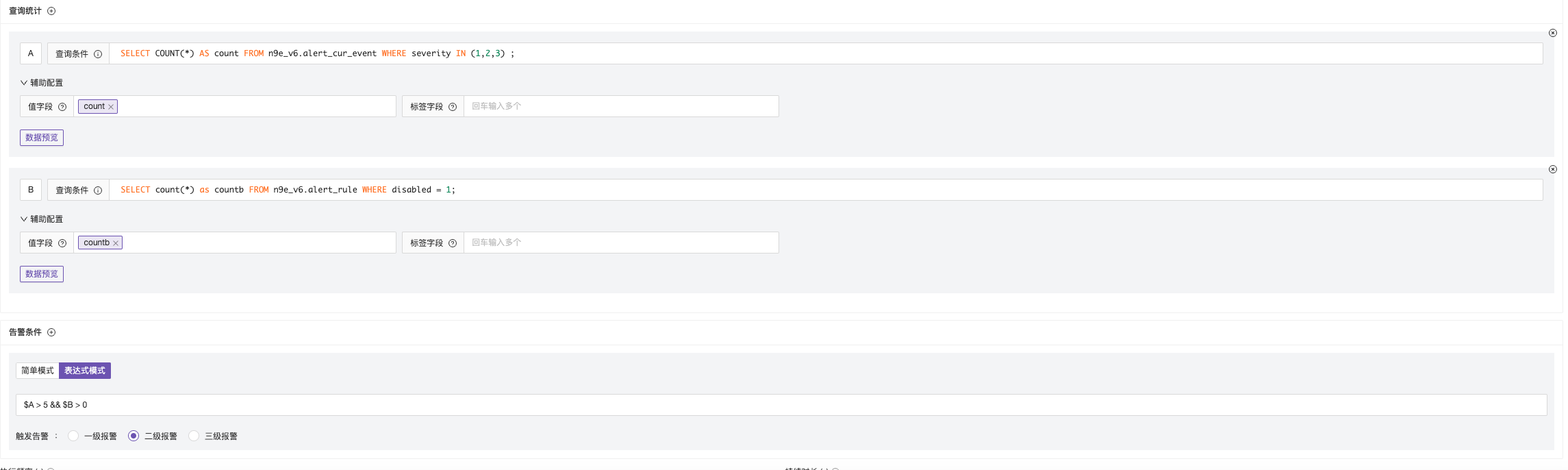
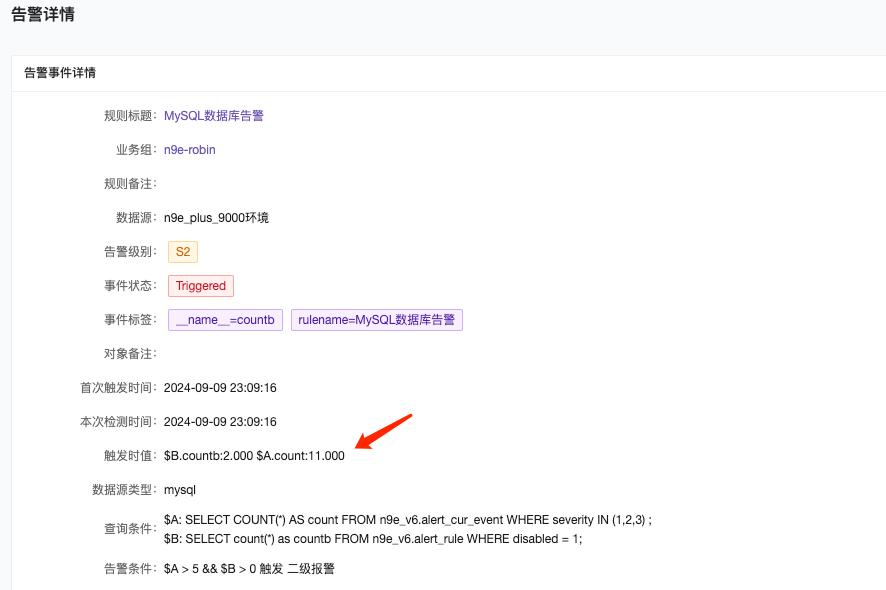
Configure multiple query condition SQLs and perform threshold alerting on the results of two query conditions.