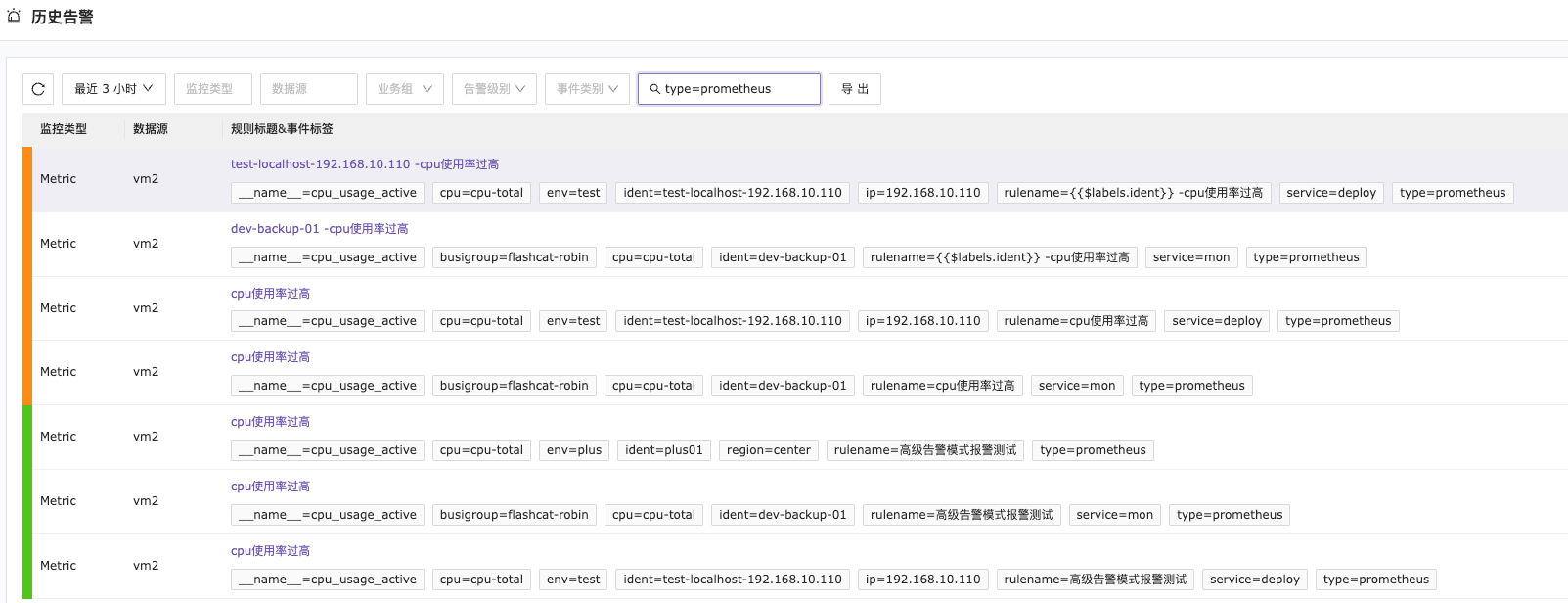
Introduction to Nightingale Basic Configuration
The basic configuration for alerts mainly involves the basic description of alert information. The configuration is quite simple. This section mainly introduces alert variables and additional tags.
Alert Variables
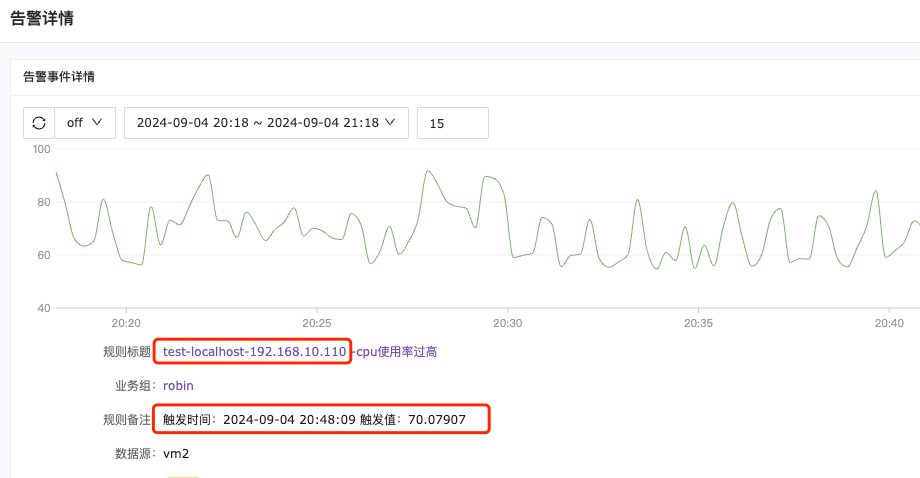
The variables used here are consistent with those in the notification templates. If you’re not familiar, you can refer to here. Simply fill in the required variable fields in the alert rule name and remarks, and the corresponding values will be automatically mapped to the variables when an alert notification is triggered. As shown below, the ident is added to the alert rule name, while TriggerTime and TriggerValue are added to the alert remarks. You can see the corresponding values in the alert details.

This is how the filled-in values are displayed. The corresponding values that trigger the alert can be brought into the alert event details.
Additional Tags
Additional tags can be understood as custom tags set for alert events. These tags can be used in active alerts, historical alerts, and silenced alerts.
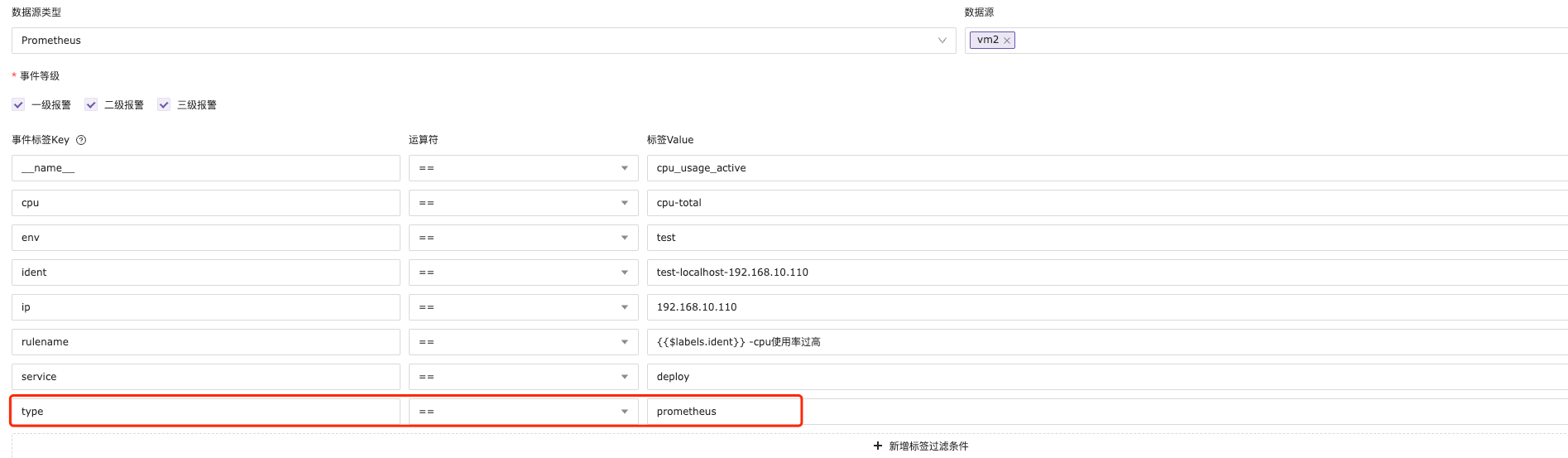
In the previous section, an additional tag type=prometheus was set for the alert rule. Let’s see how to use additional tags below.
Silencing Alerts
Use additional tags as filtering criteria.
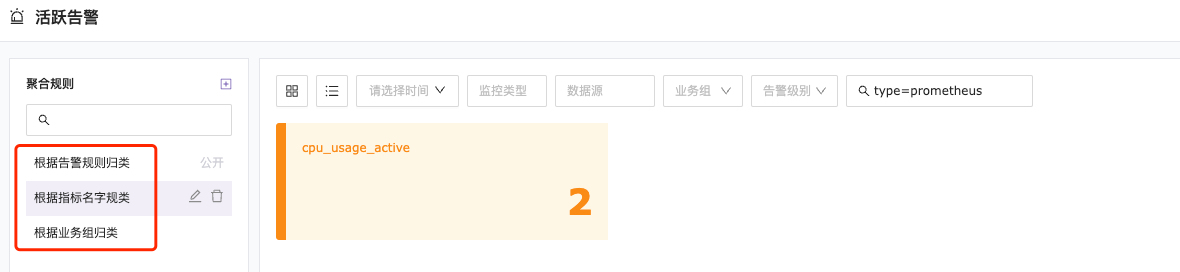
Active Alerts
All three types of aggregation rules can quickly filter alert events using additional tags.
Historical Alerts
Use additional tags as filtering criteria.