Nightingale Prometheus Alert Rule Configuration
Basic Mode
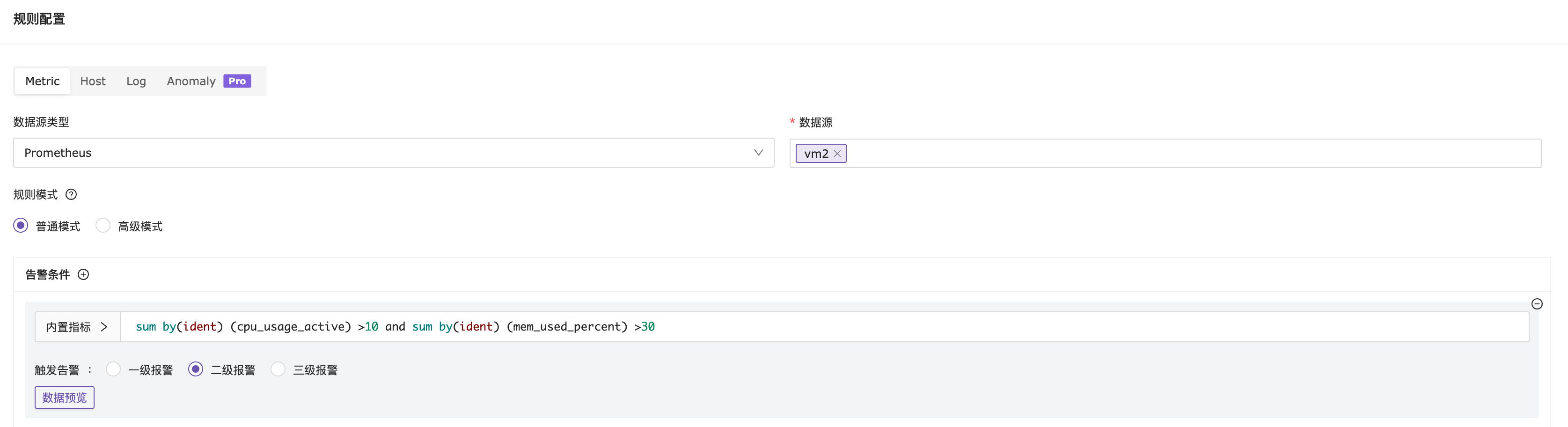
In basic mode, simply configure the PromQL expression and threshold. If multiple MetricNames are joined using “and”, the Label tags must be consistent; if “or” is used to connect multiple MetricNames, consistency in Label tags is not required. As shown in the figure below:

Advanced Mode (Commercial Version Feature)
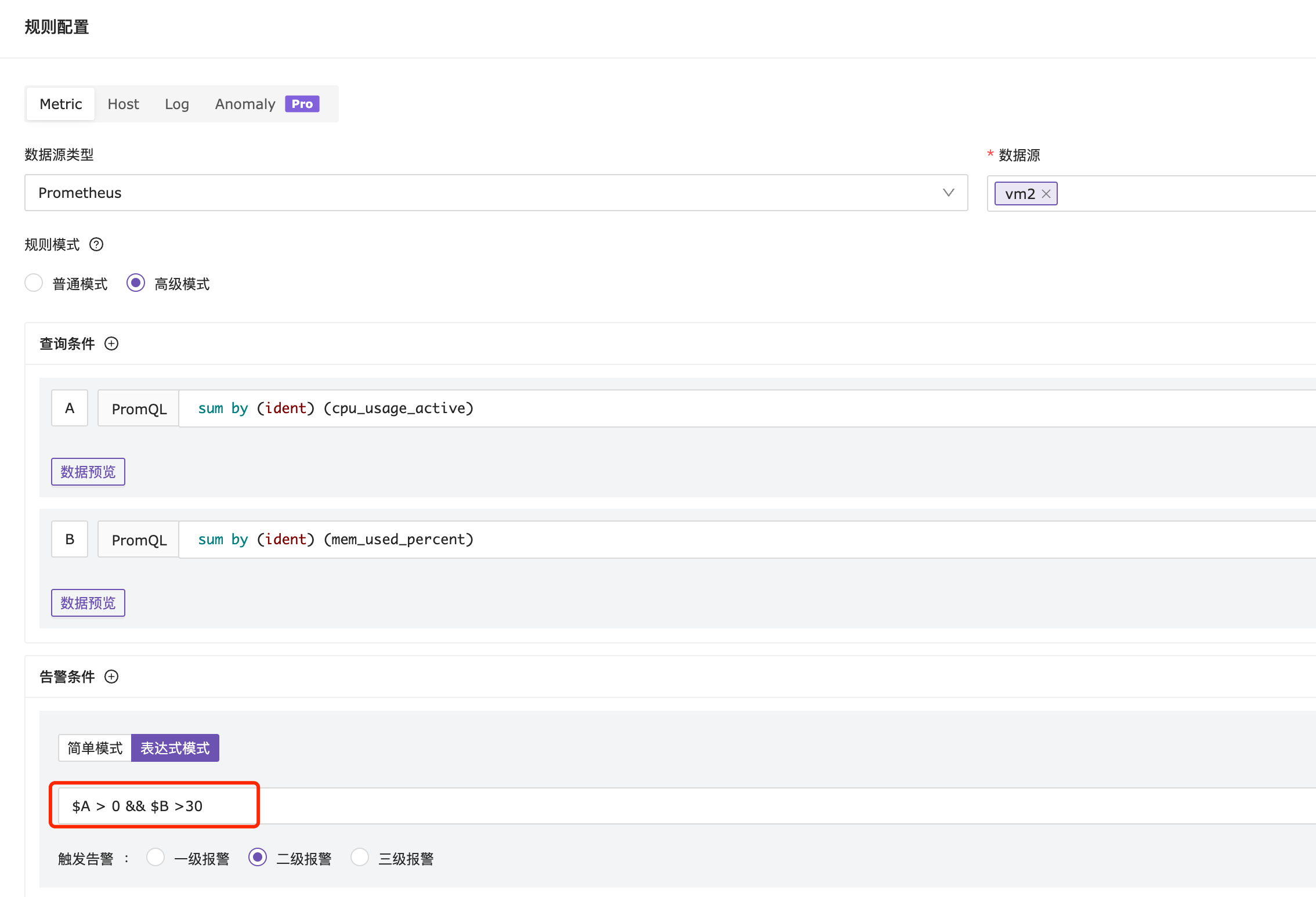
In advanced mode, query conditions and threshold settings are separated. If you want to display the values of each query condition in the live value of the alert event, and you are using multiple PromQL expressions for mixed calculations, you need to use advanced mode (as shown in the screenshot below). For other cases, the basic mode is sufficient.
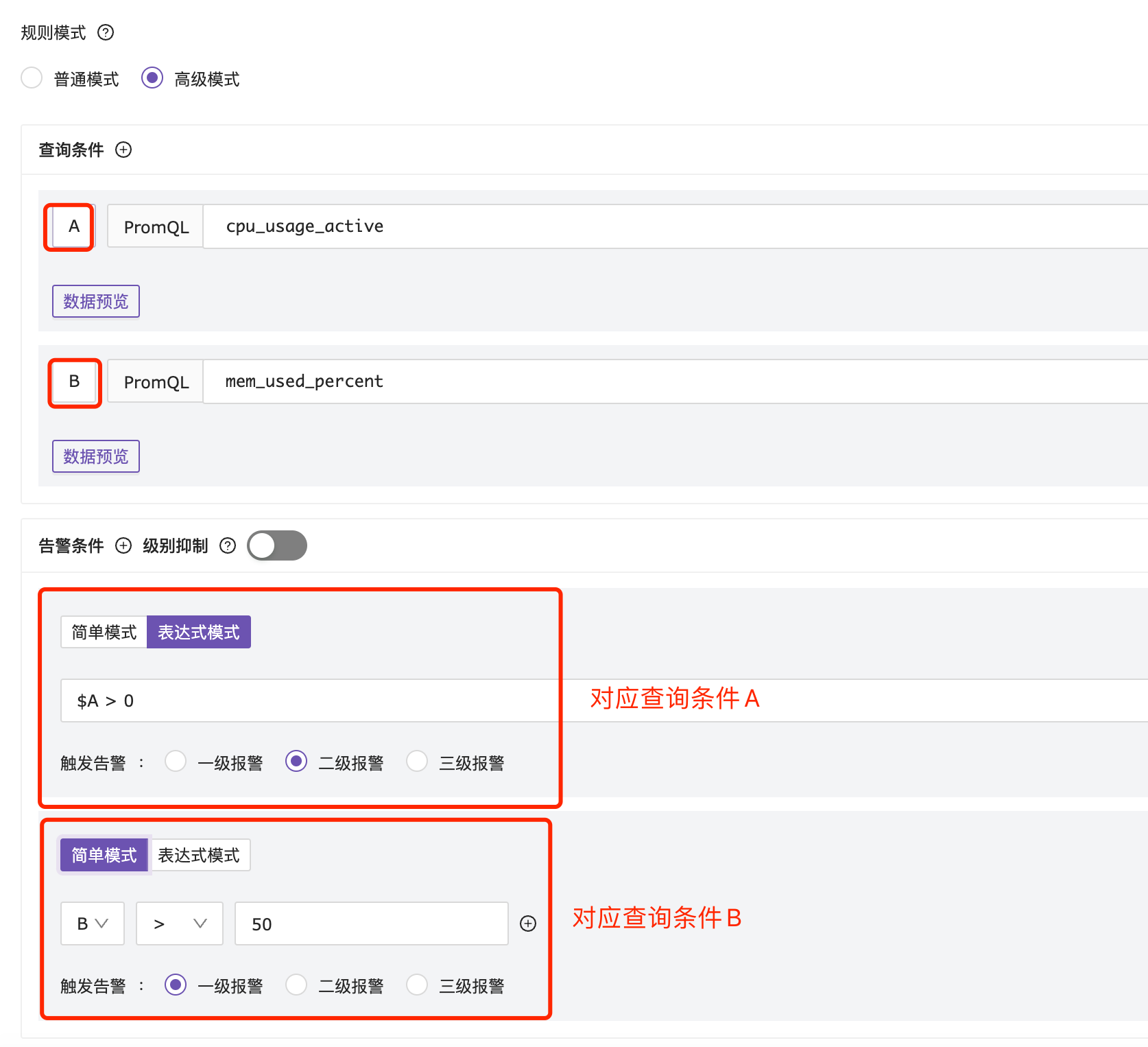
Separate Configuration for Multiple Conditions
Ensure that each configured alert condition corresponds to a specific query condition.
Mixed Calculation for Multiple Conditions: The precondition is that the labels of the query conditions must be consistent