Nightingale MySQL Data Source
MySQL Data Source Configuration Fields
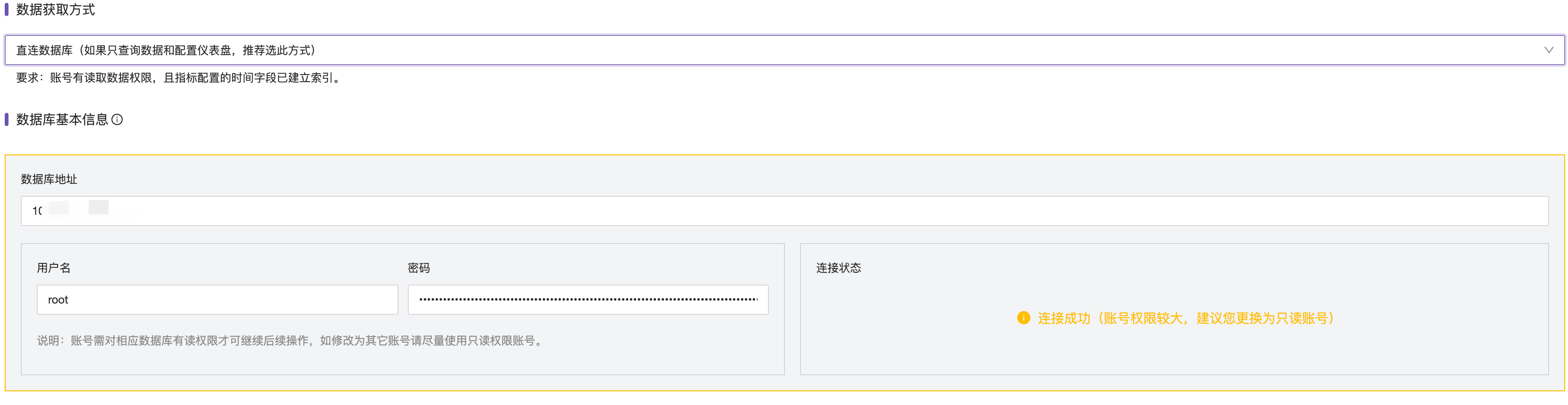
MySQL configuration only requires configuring the connection address, username, password, and associating with the alert engine.
Query Data (Commercial Version)
In Time Series Metrics - Instant Query, select the data source type MySQL, enter the SQL statement in the query conditions, and the corresponding results will be queried. Click the prompt icon next to the query conditions to view the MySQL documentation.

Configure Alerts
To configure alert rules, add a new alert rule. The core configuration parameters are introduced below.
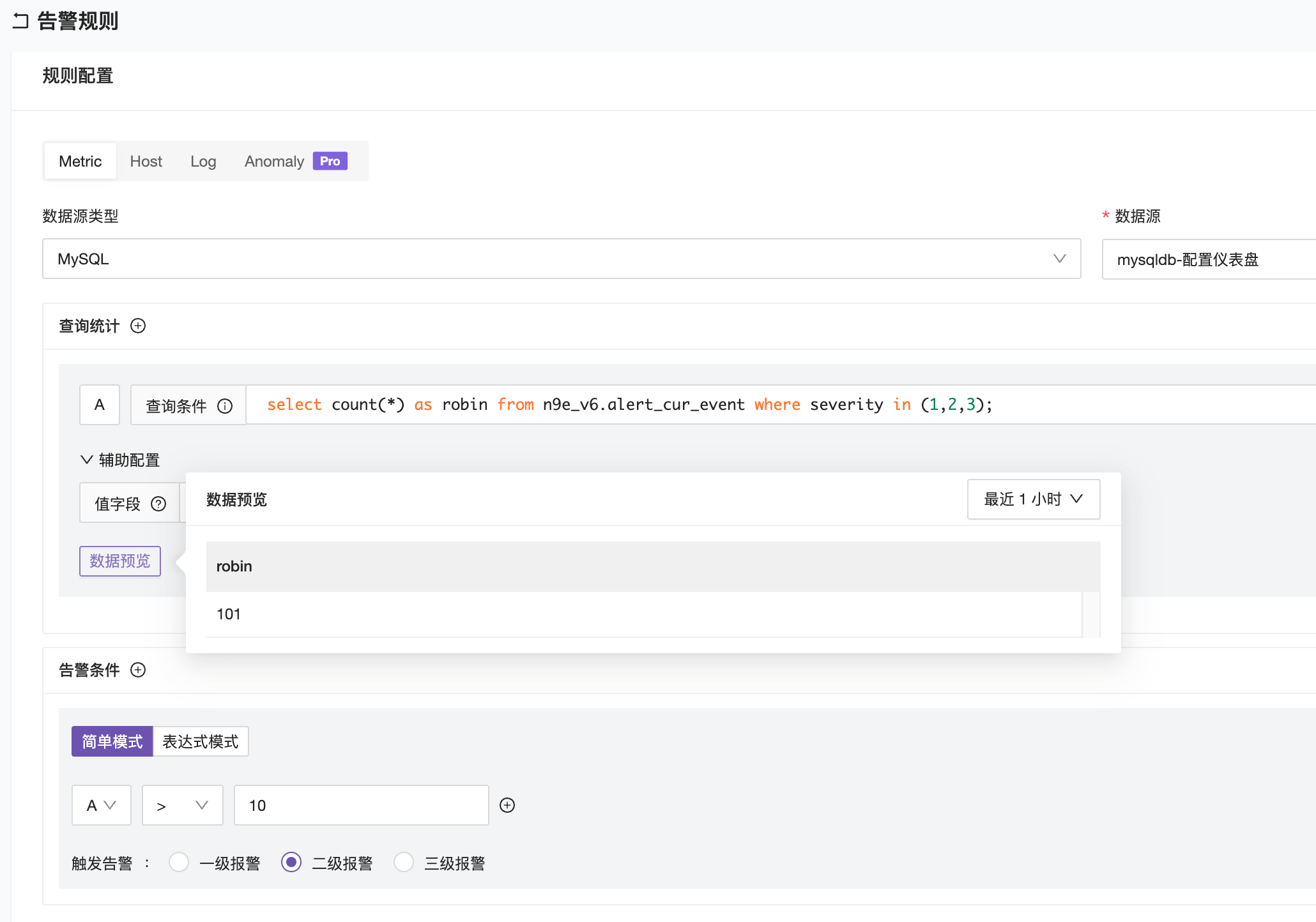
Data Source Type: Select MySQL;
Data Source: Select the configured MySQL data source;
Query Condition: The query alert statement, similar to the role of the PromQL expression;
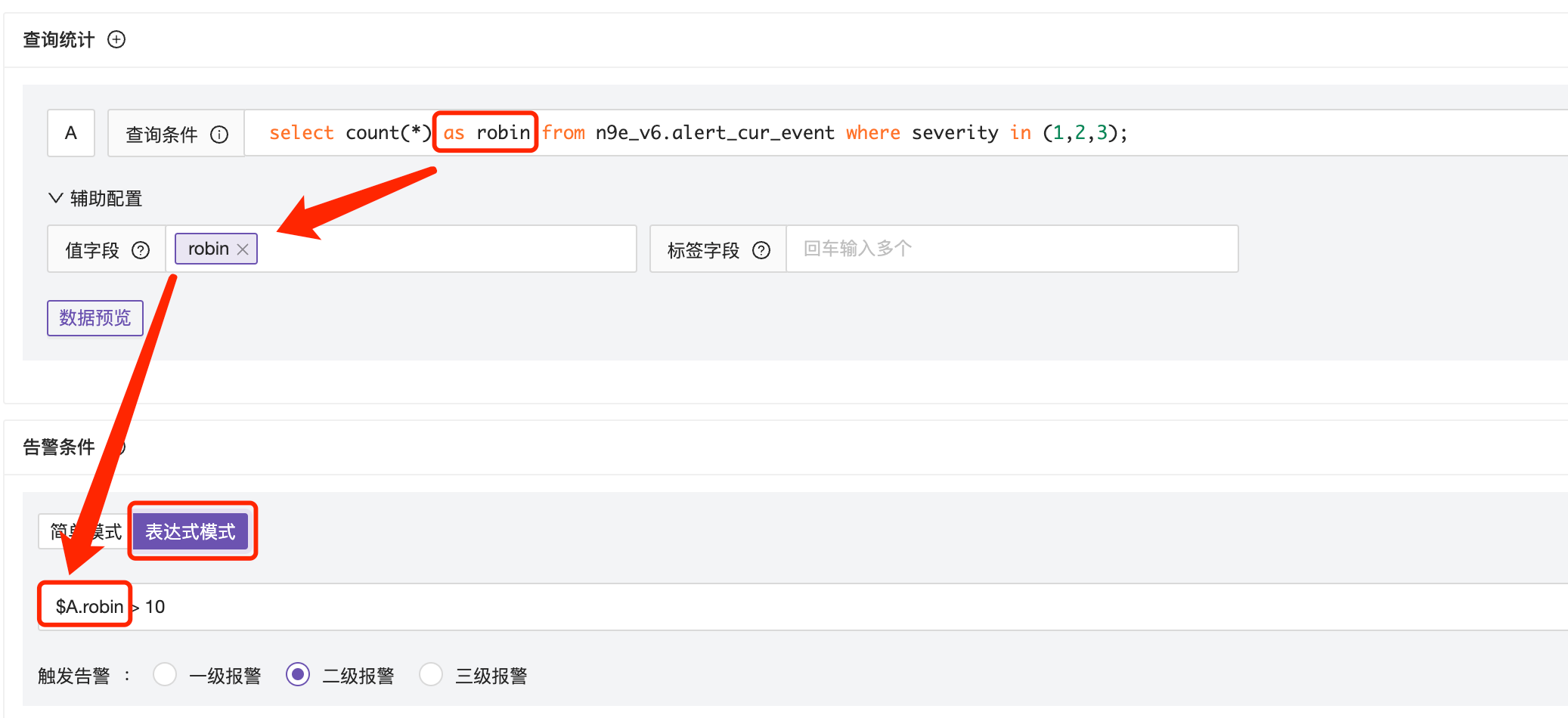
Value Field: The core required field, SQL query results usually contain multiple columns, you can specify which column values are displayed on the chart as curves.
Alert Conditions:
Set the threshold for the alert query condition to trigger.
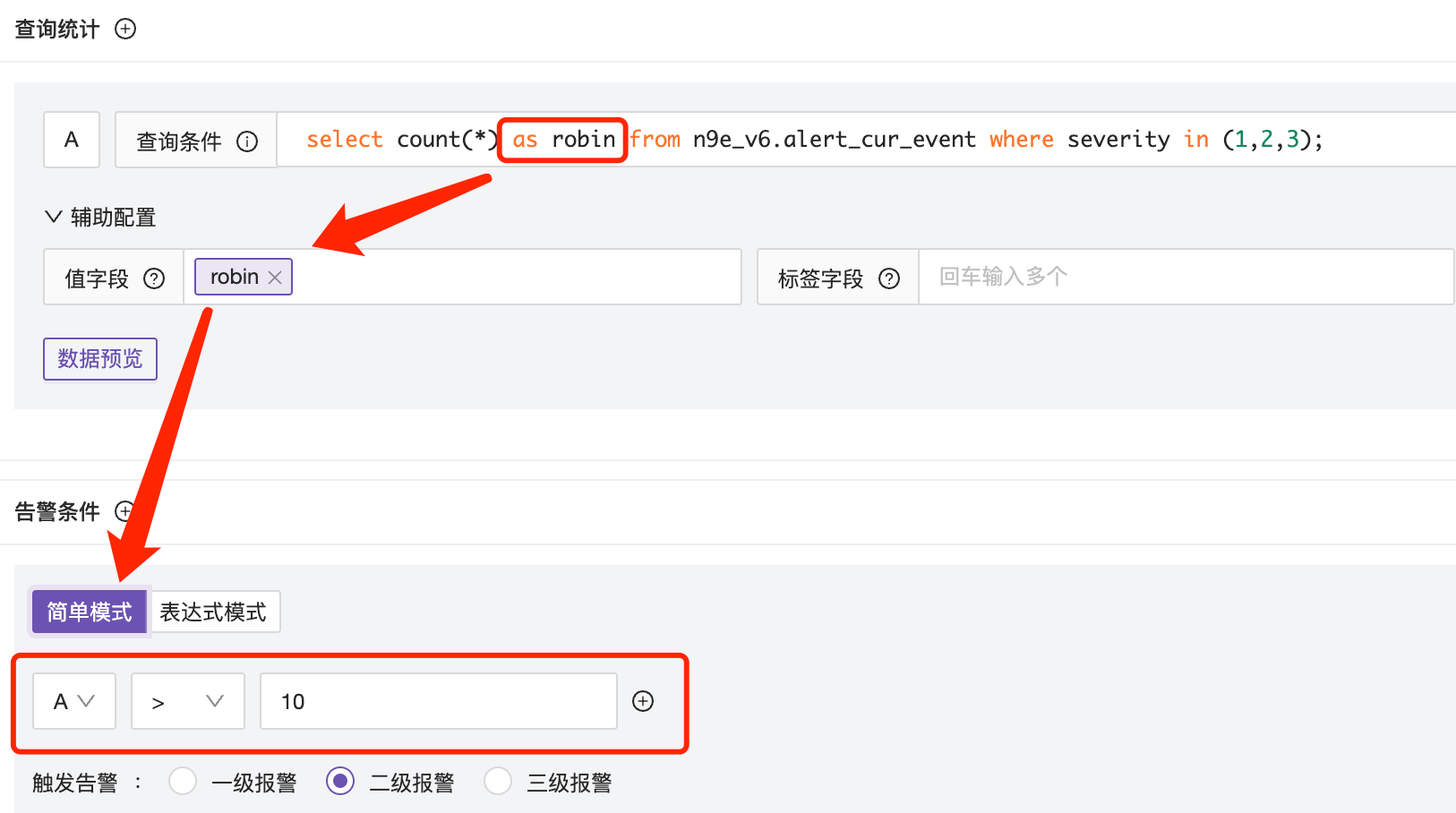
● Simple Mode
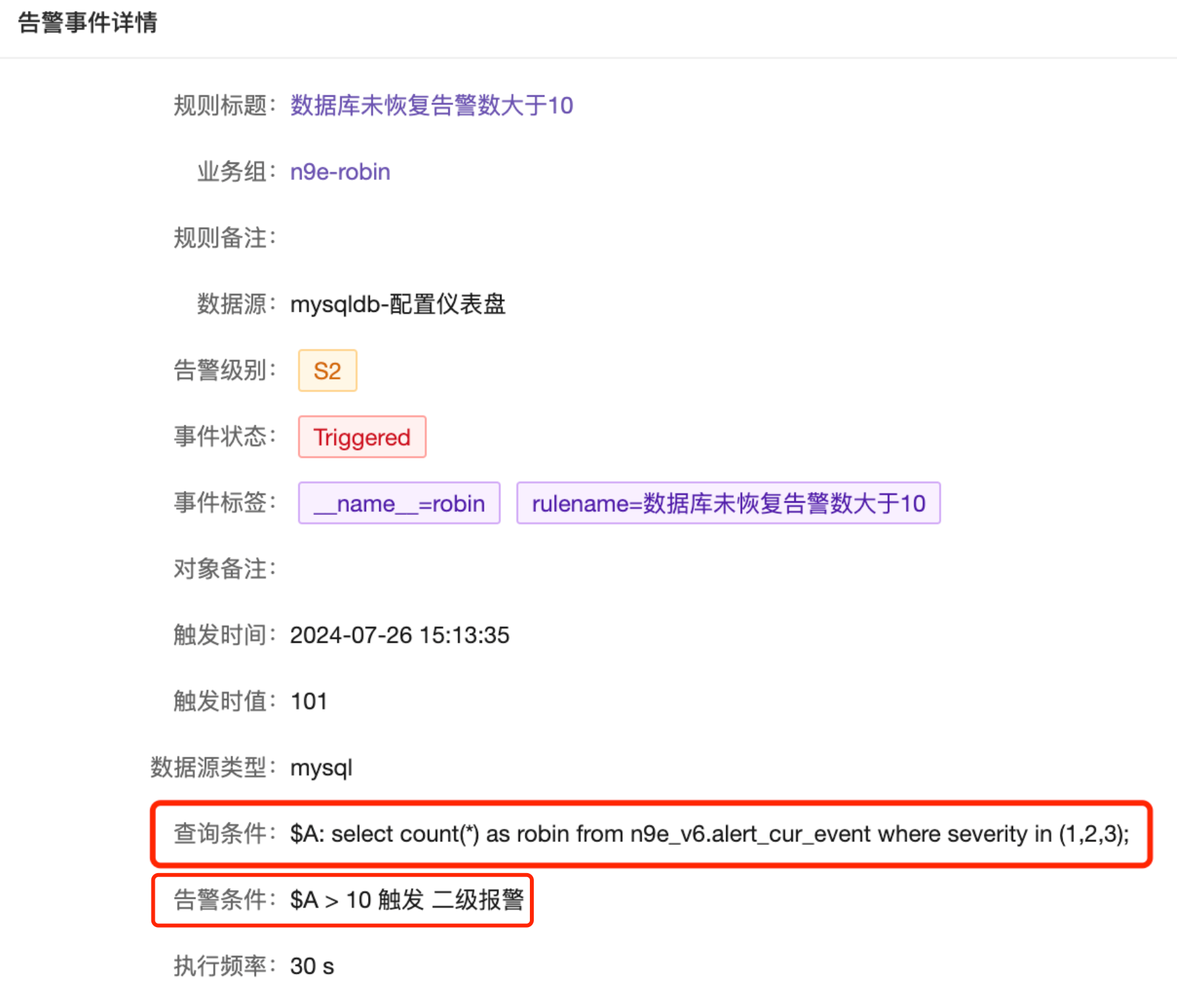
The result of the query statement is stored in $A, and the threshold is set using $A. As shown below, the final trigger threshold uses $A > 10.
● Expression Mode
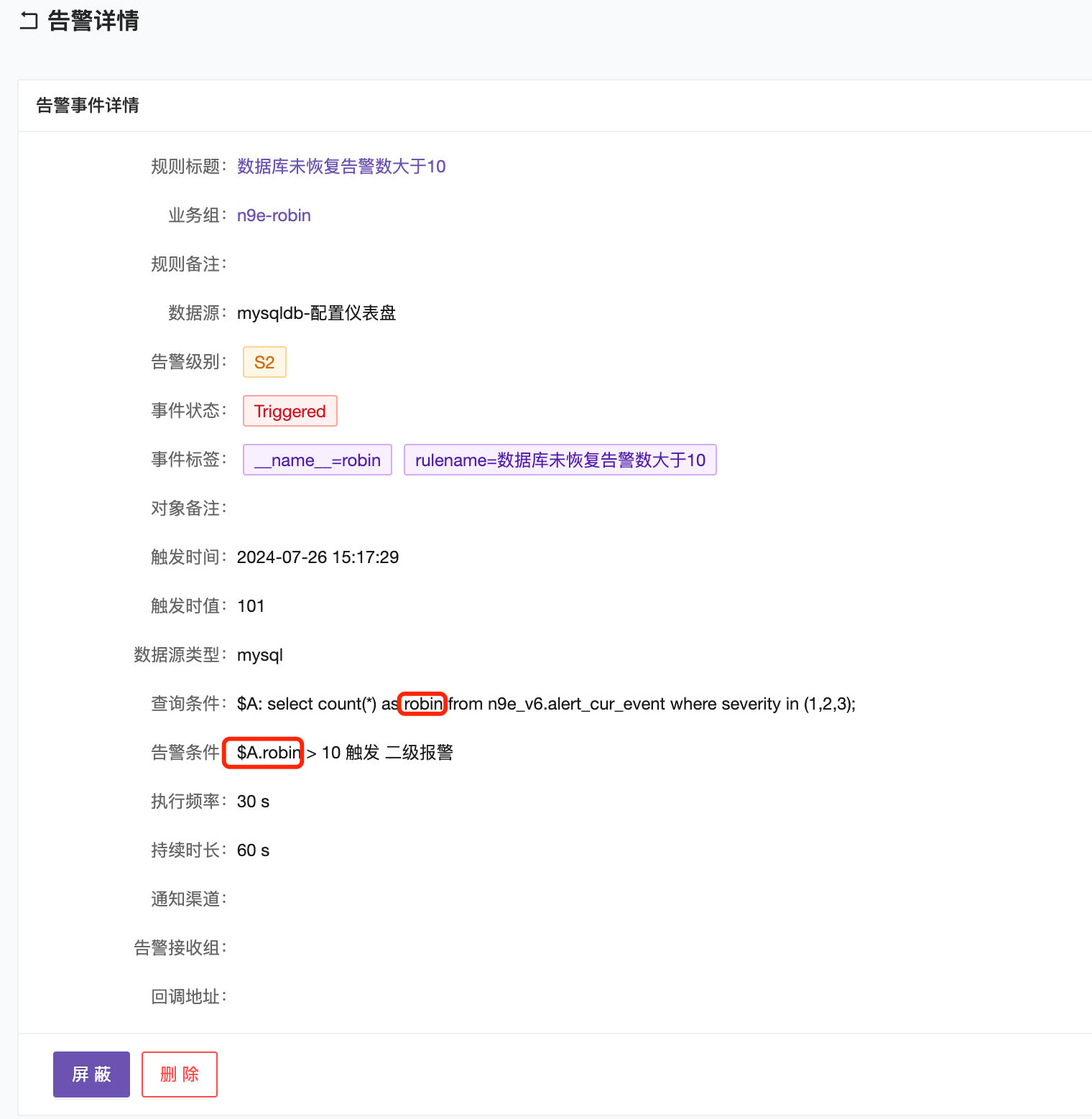
The result of the query statement is stored in $A, and the threshold is set using $A.robin. As shown below, the final trigger threshold uses $A.robin > 10.
Configure Dashboard (Commercial Version)
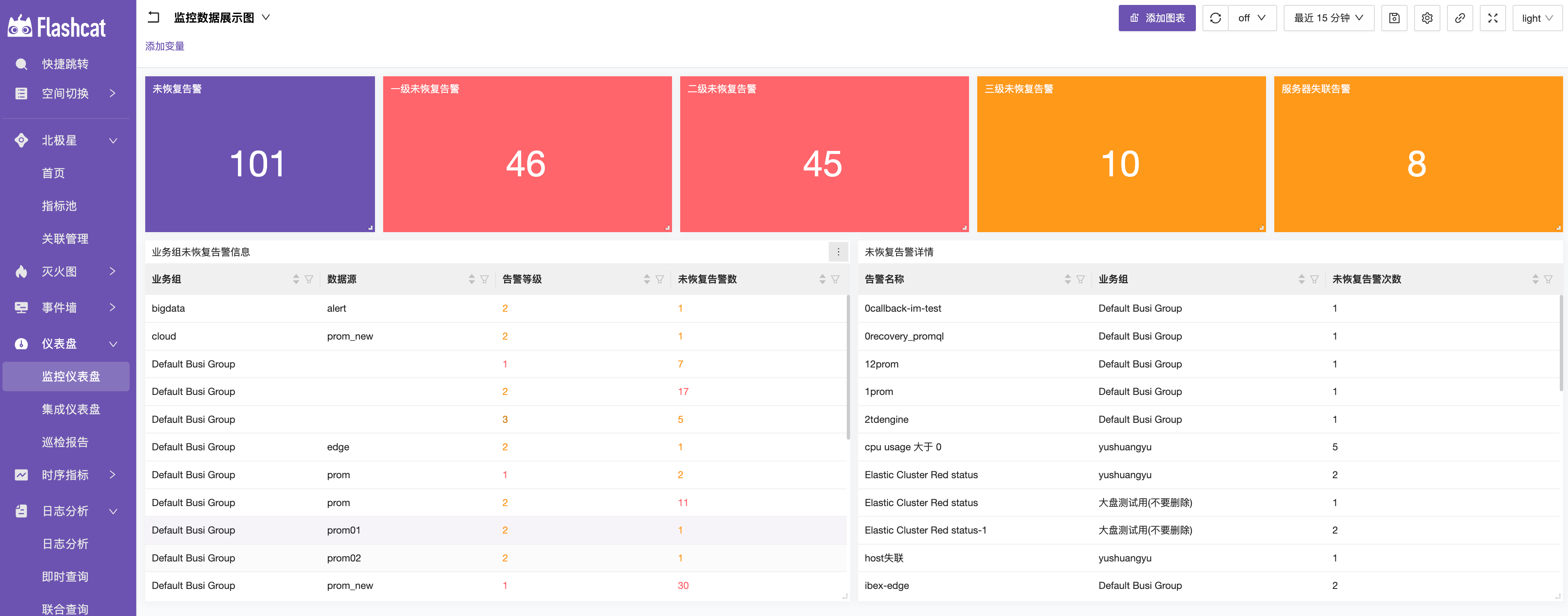
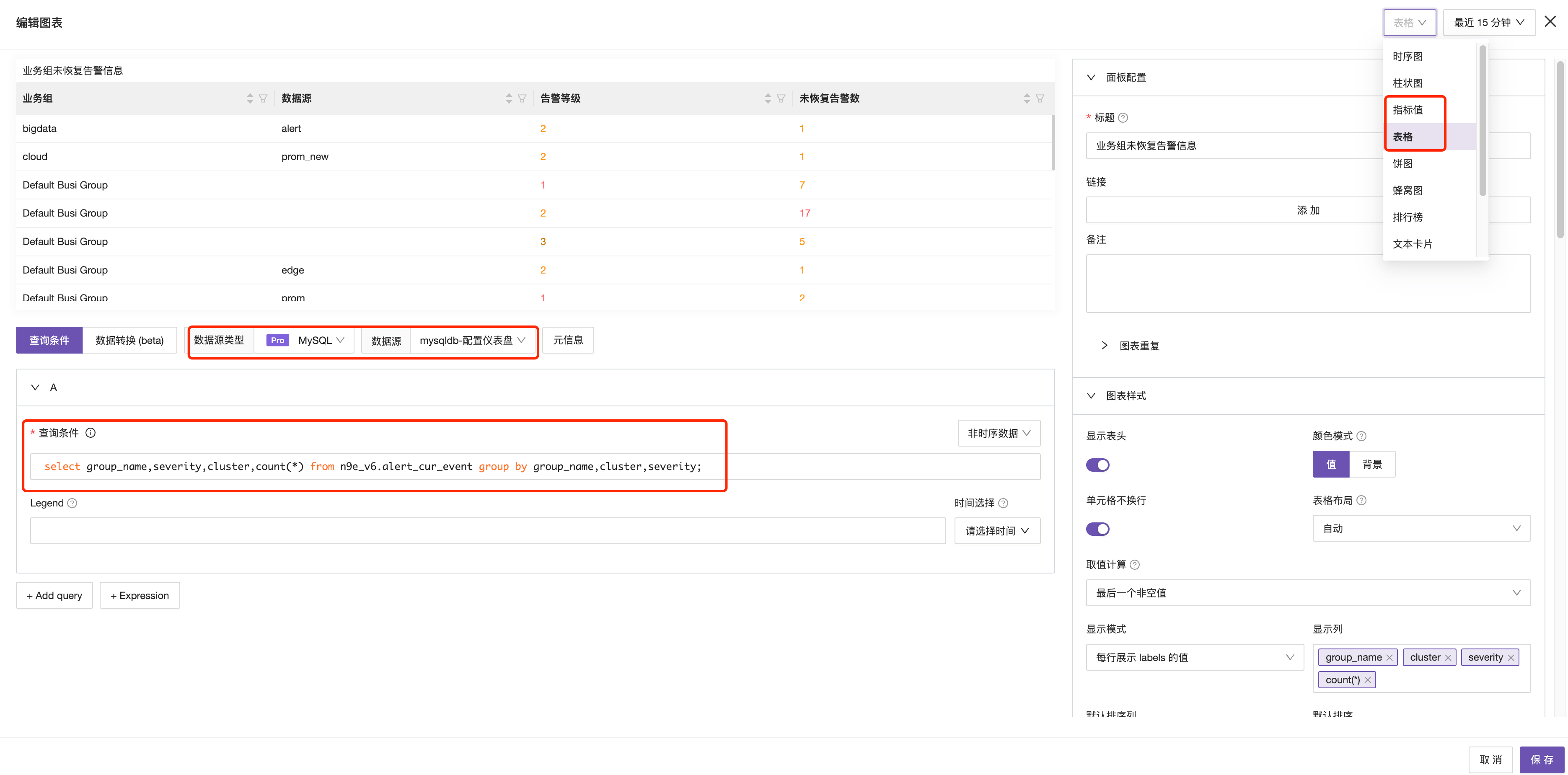
In the monitoring dashboard, you can use the MySQL data source to configure the dashboard. It is recommended to display the dashboard as disconnected indicator values and table types. Below is a basic configuration of a dashboard with core attention points marked in red.