Nightingale TDengine Data Source
Integrating TDengine Data Source
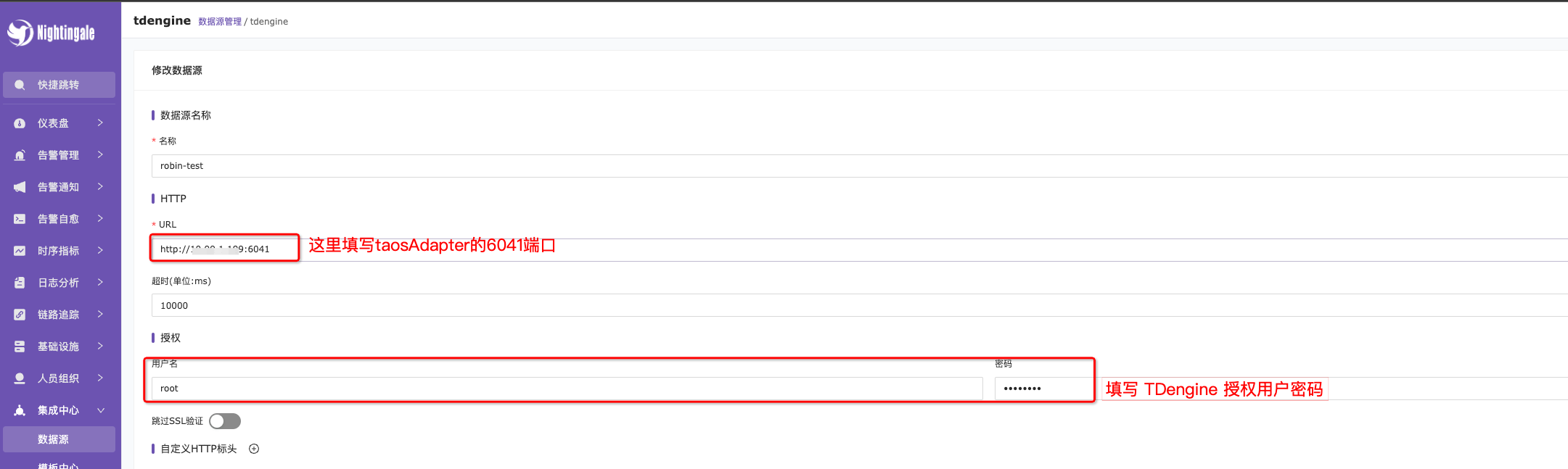
Fill in the connection address and authentication user information on the TDengine configuration page.
-
URL: Enter the address of the
taosAdapterconnection port here. The default port is 6041.taosAdapteris a supporting tool for TDengine, serving as an adapter between the TDengine cluster and applications. The RESTful API of TDengine is also provided bytaosAdapter, so ensure thattaosAdapteris deployed and running correctly before using the RESTful API. -
Username & Password: You need to create a username and password with the appropriate permissions in advance. Below is the command to create a user:
taos> create user test pass '123456' sysinfo 1;
Query OK, 0 of 0 rows affected (0.001254s)
Querying Data
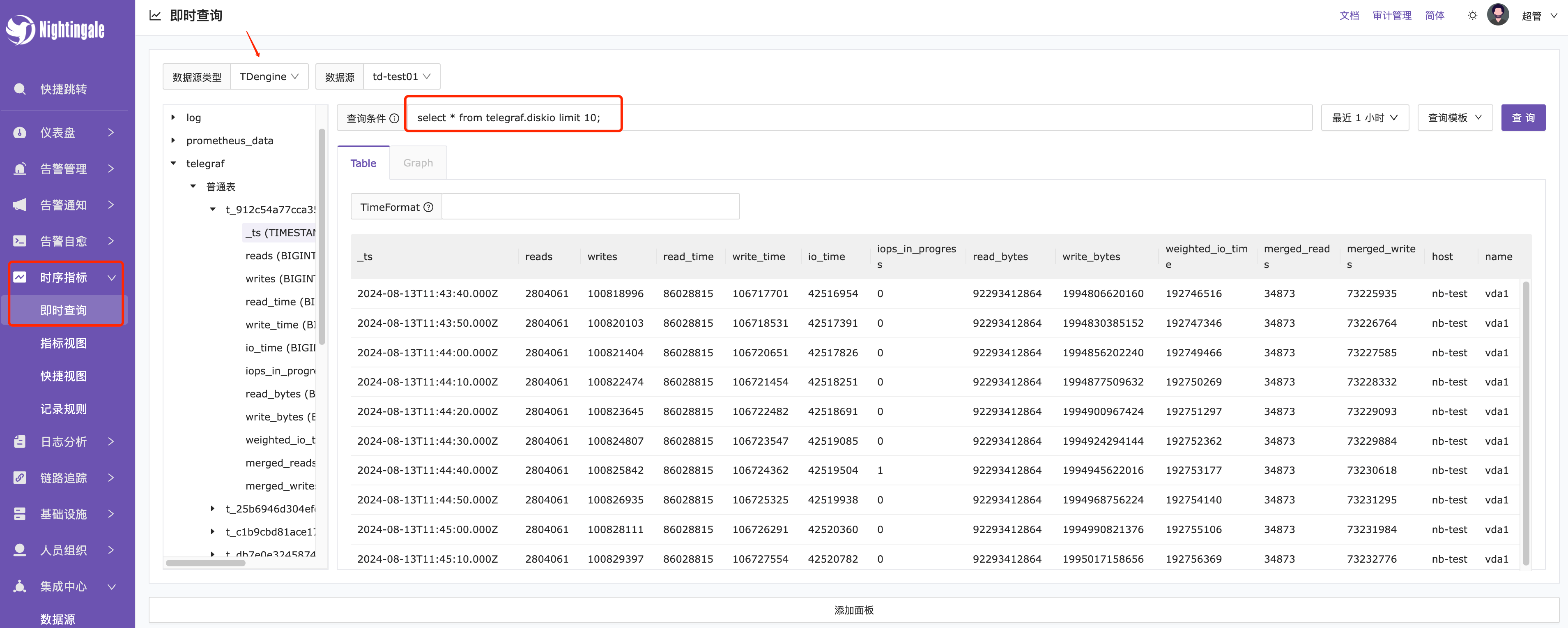
In the real-time query, select the TDengine data source, and use TDengine query statements to retrieve data. For example, to query the last 10 records of diskio, use the following command: select * from telegraf.diskio limit 10;, as shown in the image below.