Nightingale Zabbix Data Source
Integrating Zabbix Data Source
To integrate the Zabbix data source, you mainly need to fill in the URL, authentication username, and password. This article uses Zabbix 6.4 as an example.
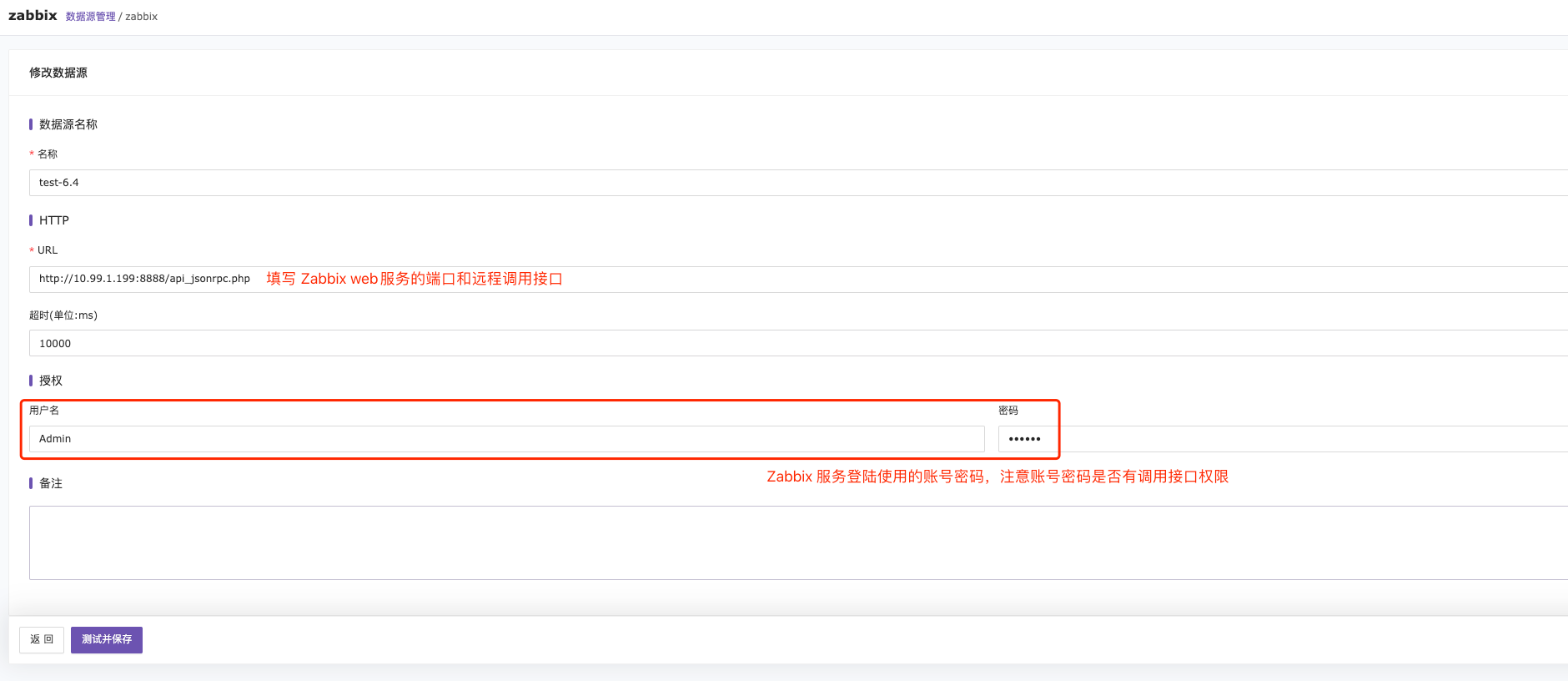
The URL should use the address and port of the zabbix-web-nginx-mysql service. The service path must include /api_jsonrpc.php, as remote HTTP requests need to send HTTP POST requests to the api_jsonrpc.php file located in the frontend directory. For more information, refer to the Zabbix API.
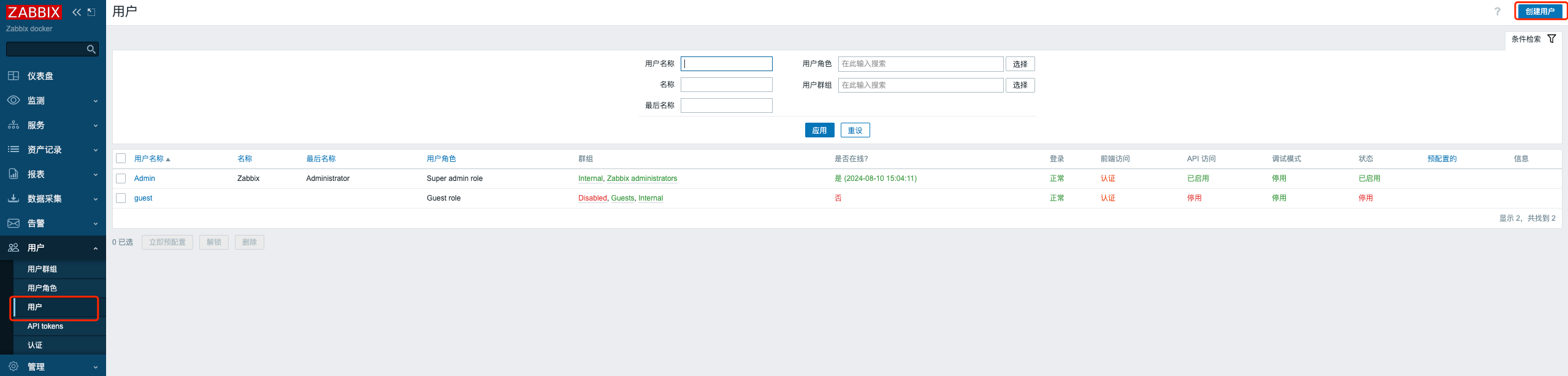
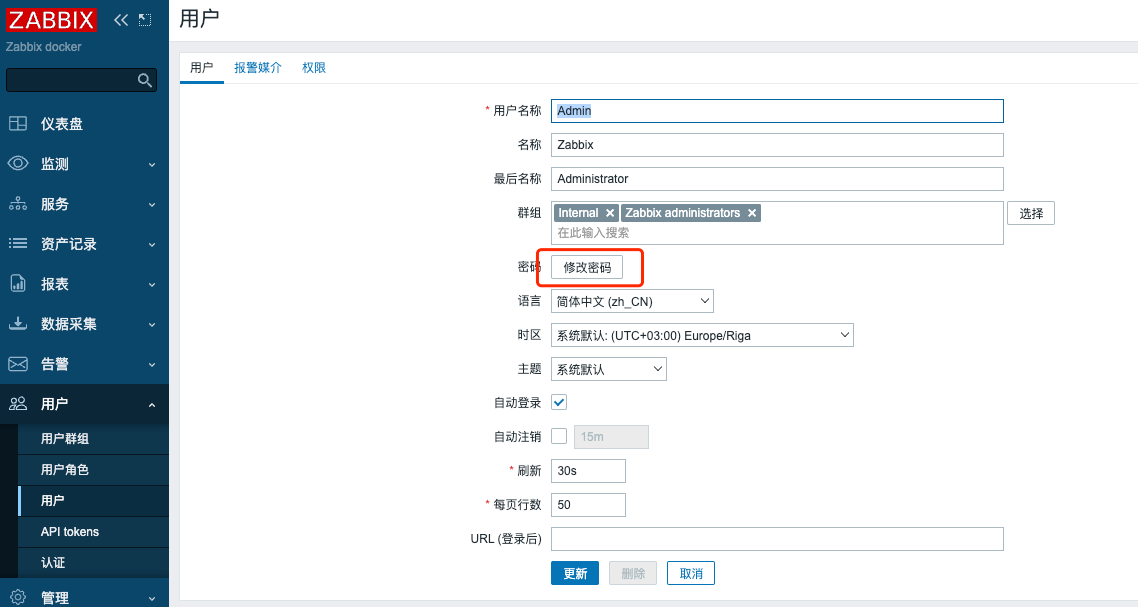
The username and password are the ones used to log in to the Zabbix service, so any creation or modification must be done on the Zabbix server.
Querying Data
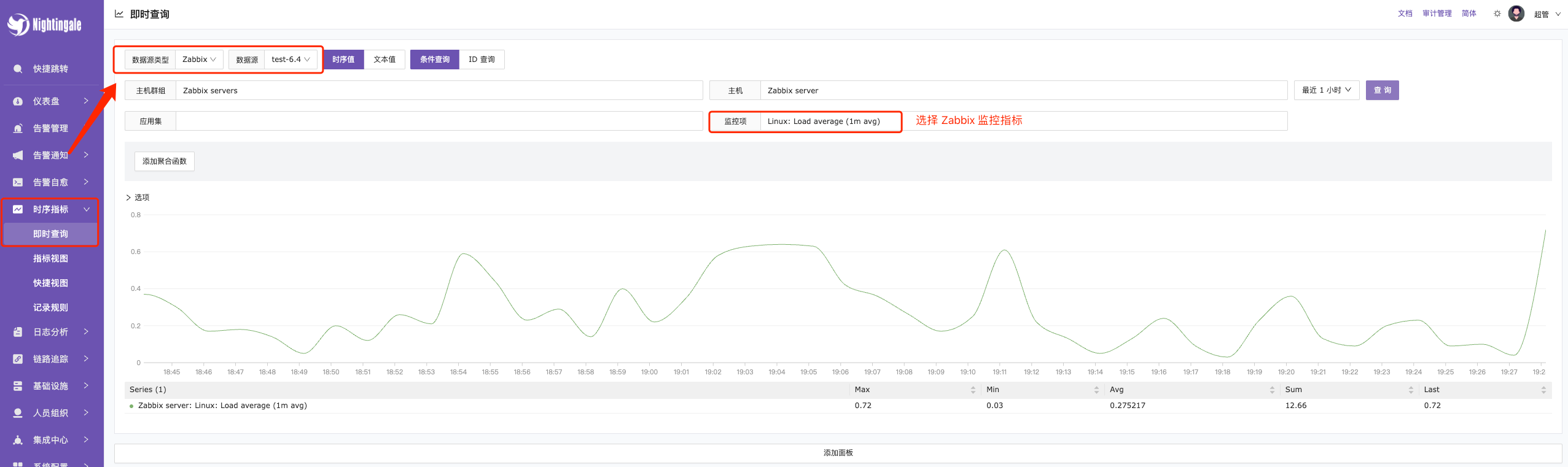
Instant Query —> Select the Zabbix data source —> Check the metrics to query.
Please note that the query metrics are the collected metrics after the Zabbix template is selected. Therefore, to view metrics in FlashCat, you must first configure and complete the data collection in Zabbix.