Nightingale Metric Template
Creating a Metric Template
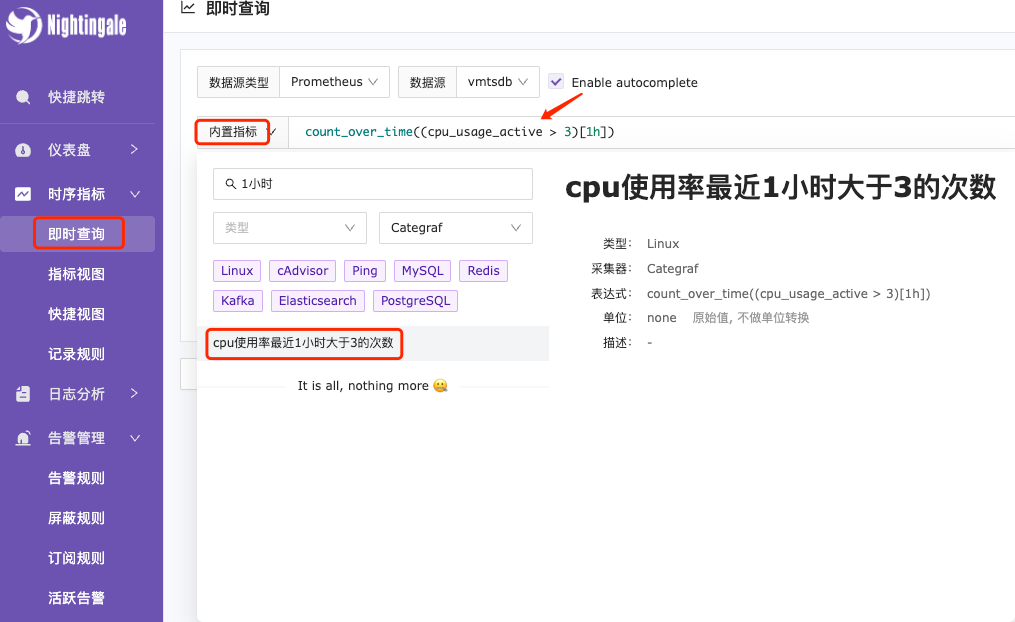
Metric templates can be used for built-in metric queries in instant queries. In daily work, there are some custom or business-specific complex PromQL queries that can be created using this method for future reuse. As shown in the image below.
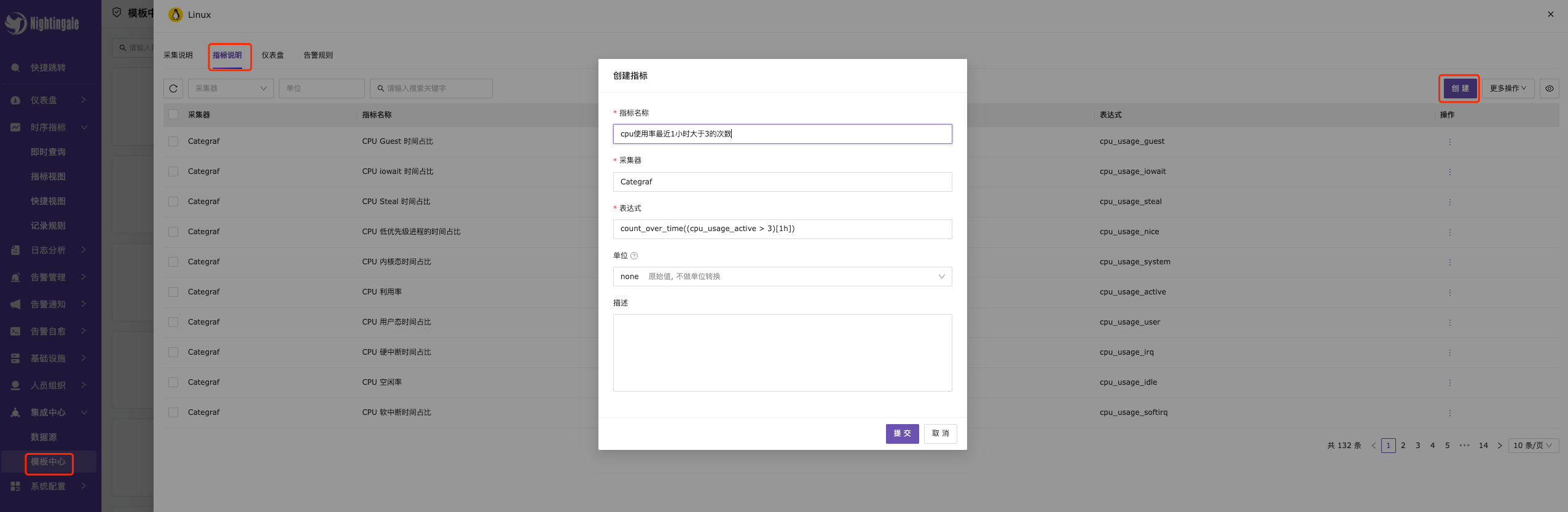
Template Center —> Metric Description —> Click Create in the upper right corner —> Fill in the metric-related content —> Finally, click OK to save.
Metric templates also support creating through JSON file imports.
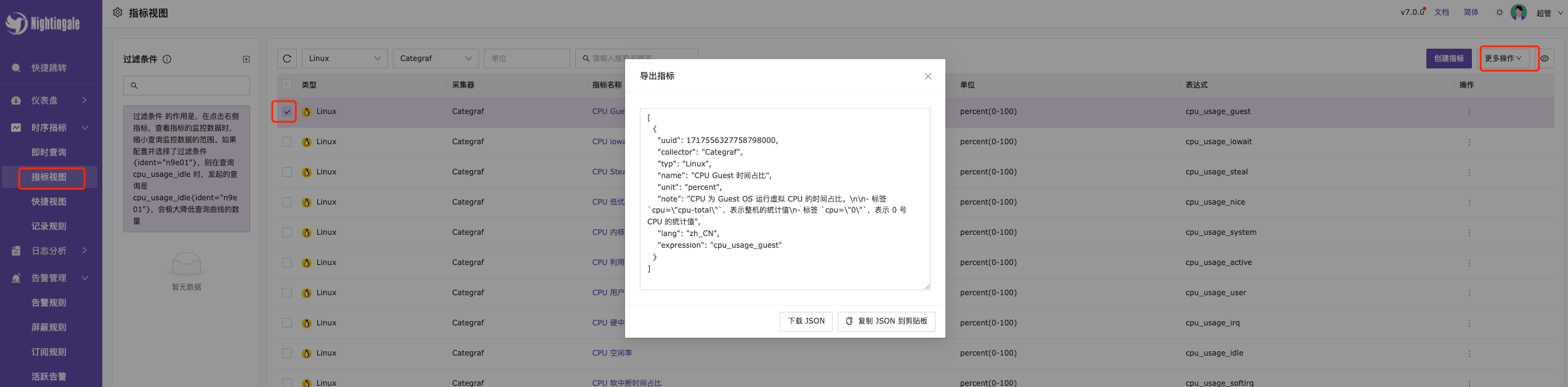
In the metric view —> Check Export Metrics —> Select Export Metrics in the upper right corner —> Finally, select JSON file to clipboard.
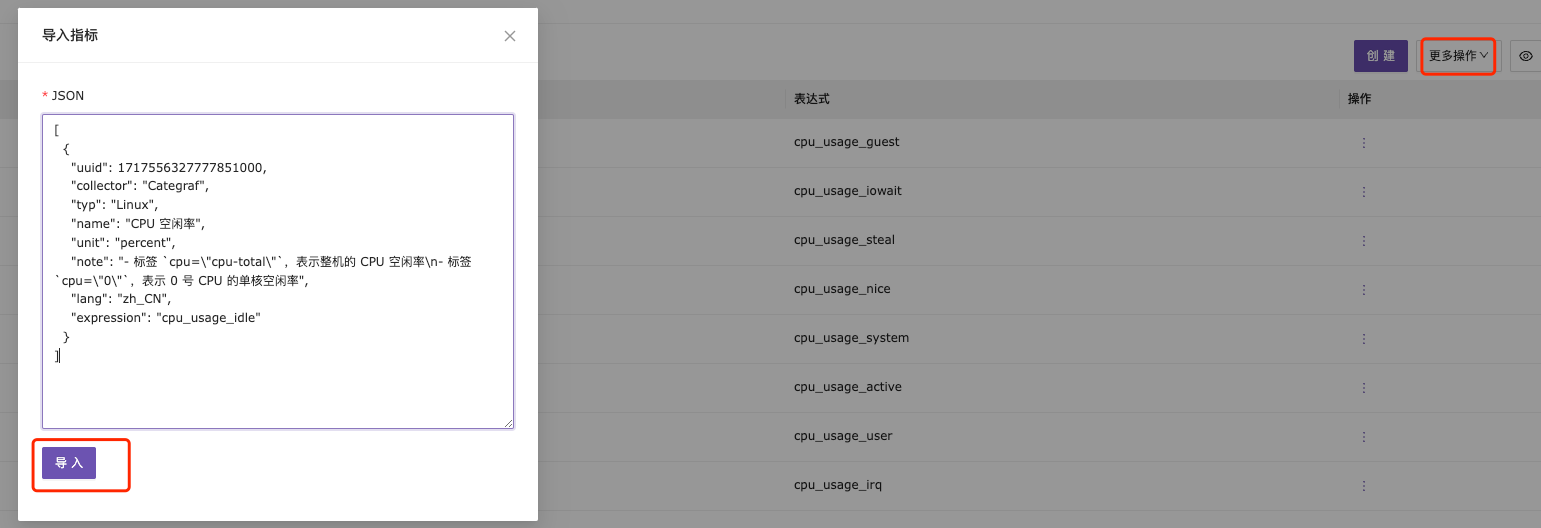
More Operations in the upper right corner —> Select Import Metrics —> Copy the JSON file —> Finally, choose Import to save.
Using the Metric Template
Once the metric template is added, it can be quickly used in Instant Query —> Built-in Metrics. There are many complex and lengthy query metrics in daily work, such as Kubernetes metrics or complex queries involving multiple metrics, and the configuration of metric templates can improve work efficiency.