Nightingale Alibaba Cloud SMS
FlashCat supports using Alibaba Cloud SMS channel for alert notifications. Below is a guide on how to configure and integrate with Alibaba Cloud SMS.
Configuration Example
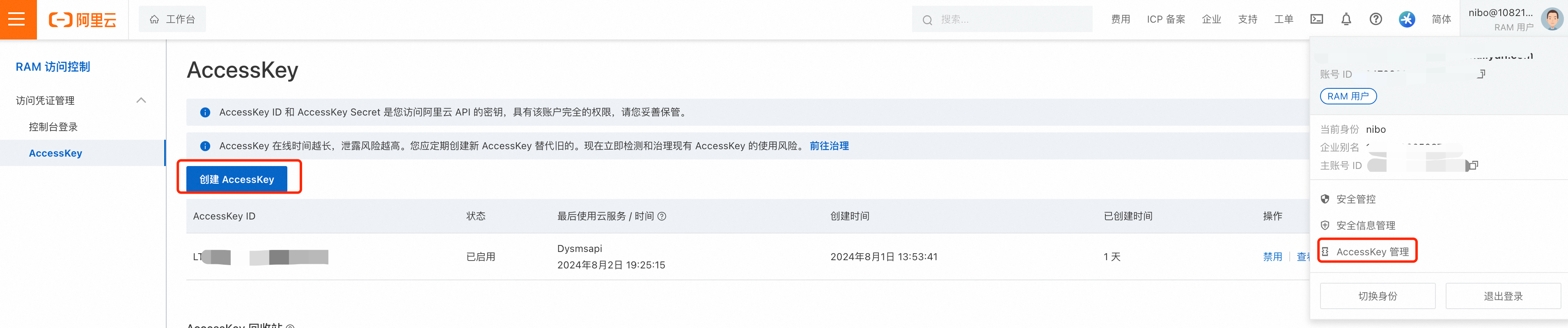
1. Create AlibabaCloudAccessKeyId & AlibabaCloudAccessKeySecret
Log in to Alibaba Cloud AccessKey Management Page
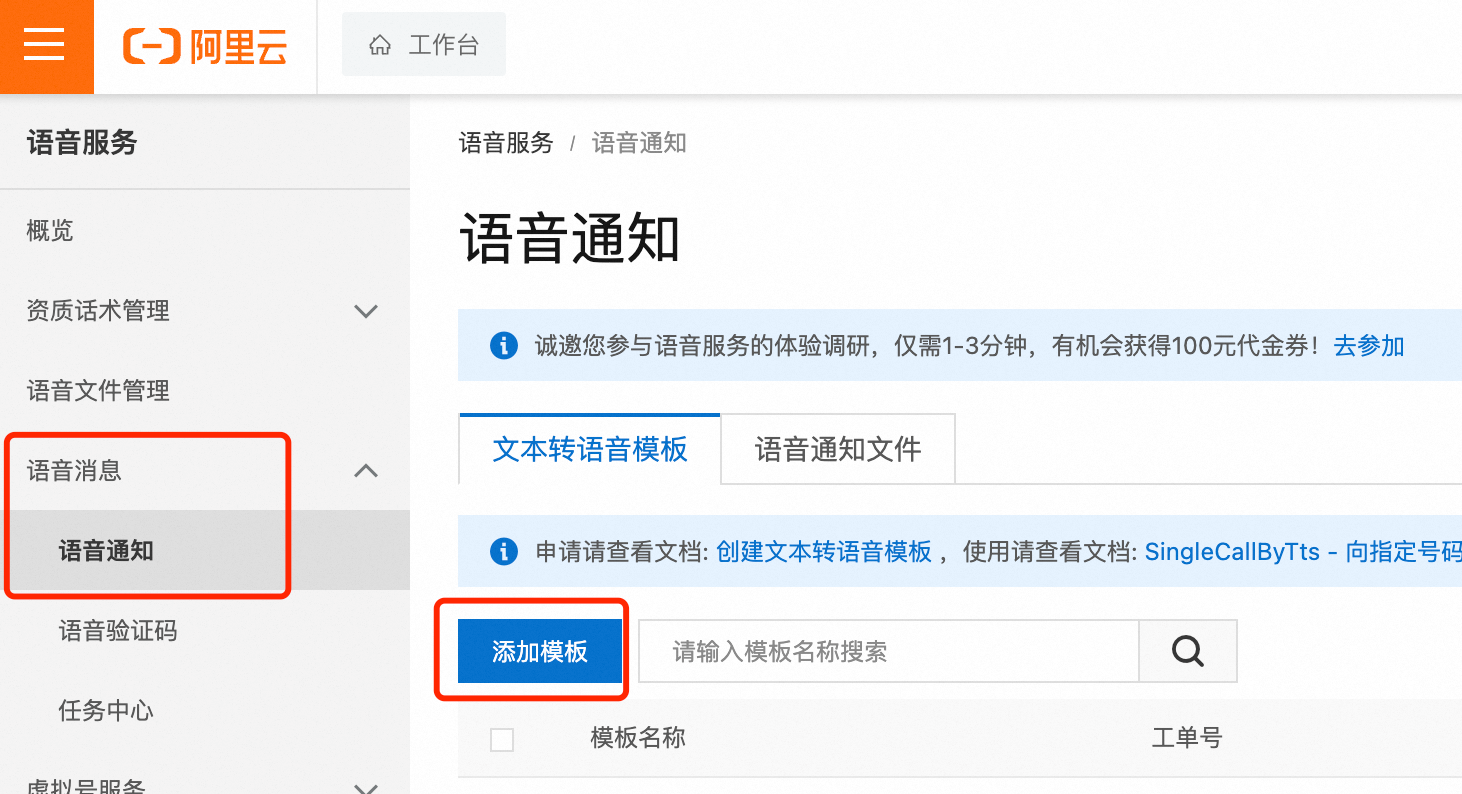
2. Create a voice template to get the SMS template ID
Go to SMS service in the console—> Voice Notification —> Add Template
Fill in the SMS template content and other information
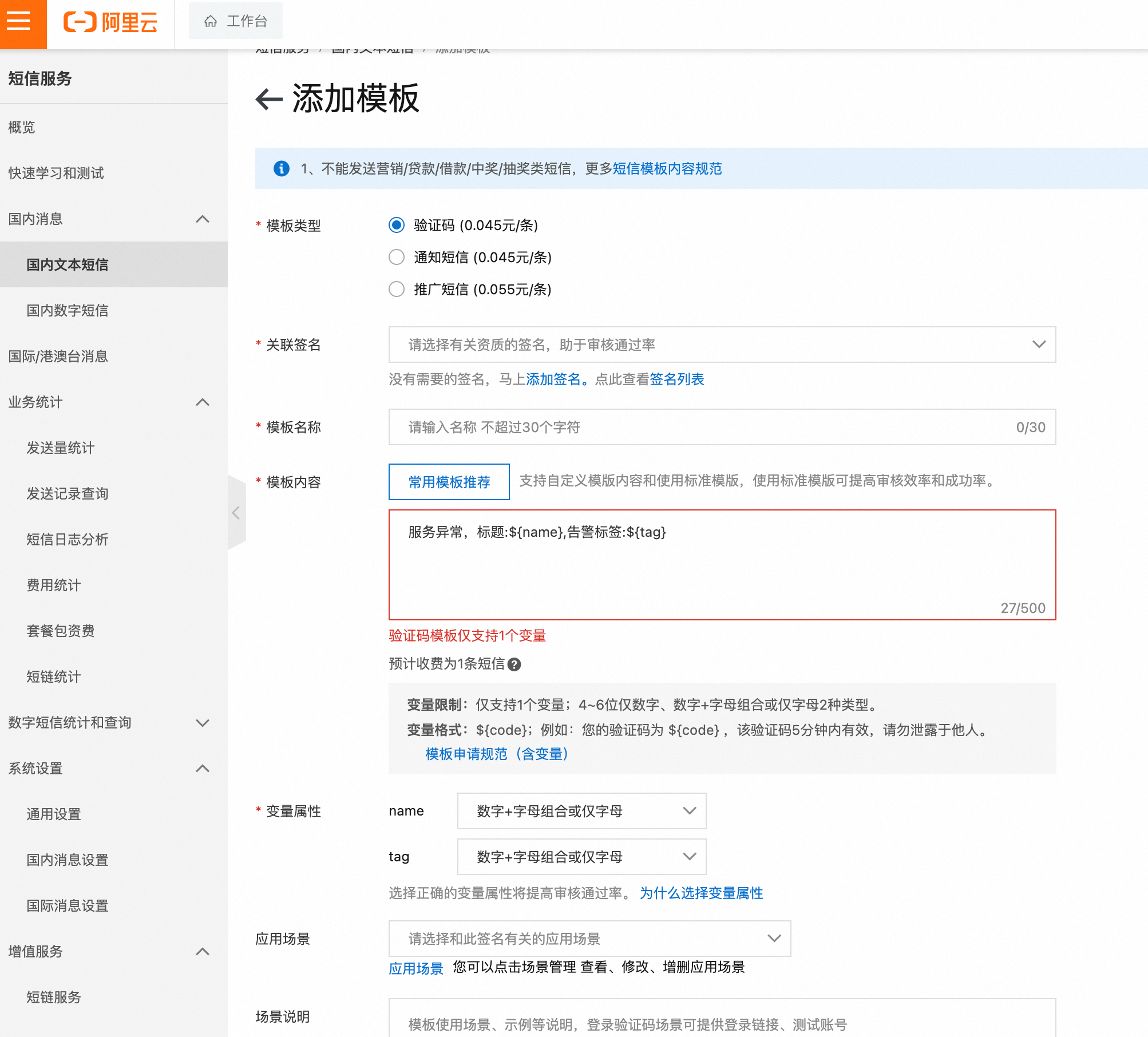
This configuration method will be deprecated after v8-beta.8 version. You can configure Alibaba Cloud SMS notification settings in the notification channels.
3. Alibaba Cloud SMS Settings
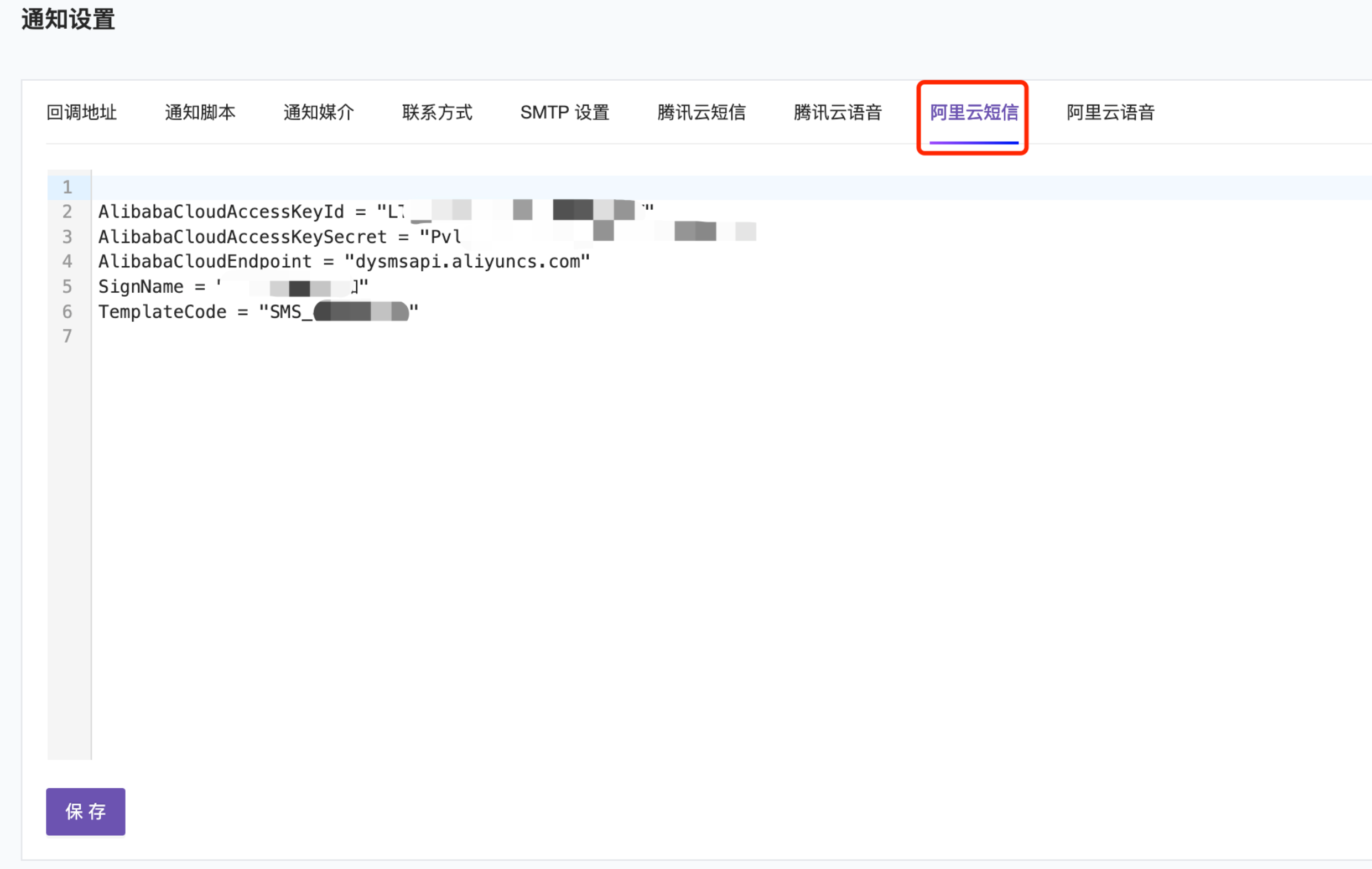
Configuration field descriptions
| FlashCat Template Parameter | Alibaba Cloud | Description |
|---|---|---|
| AlibabaCloudAccessKeyId | AccessKey ID | AccessKey ID and AccessKey Secret are your credentials for accessing Alibaba Cloud APIs, with full account permissions. |
| AlibabaCloudAccessKeySecret | AccessKey Secret | Same as above |
| AlibabaCloudEndpoint | dyvmsapi.aliyuncs.com | Alibaba Cloud public network access address. |
| TemplateCode | SMS_xxxxxx | Alibaba Cloud SMS template ID. |
| SignName | FlashCat | SMS signature name. |
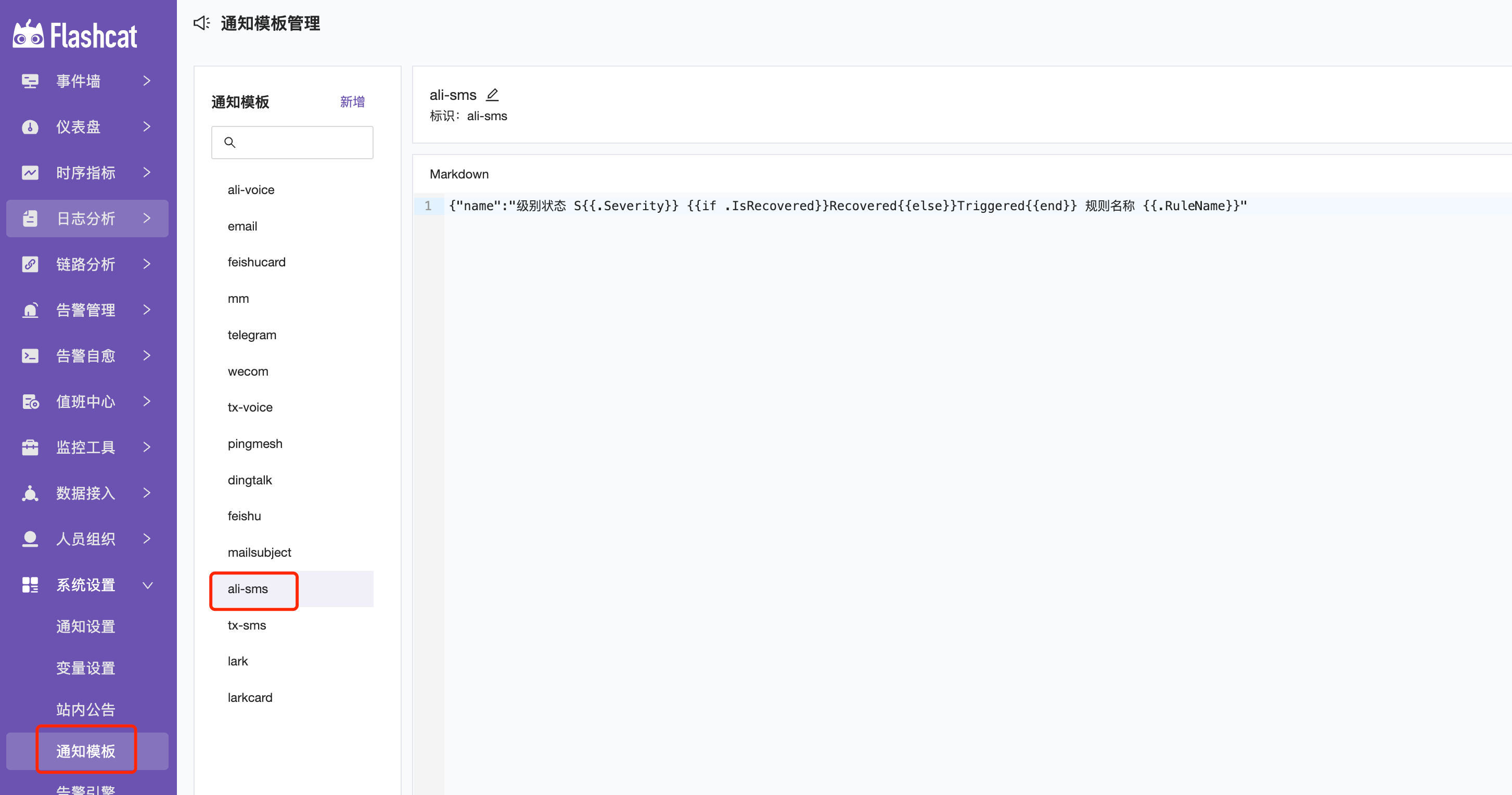
4. Template Settings
Select ali-sms in the notification template.
5. Configure Alerts
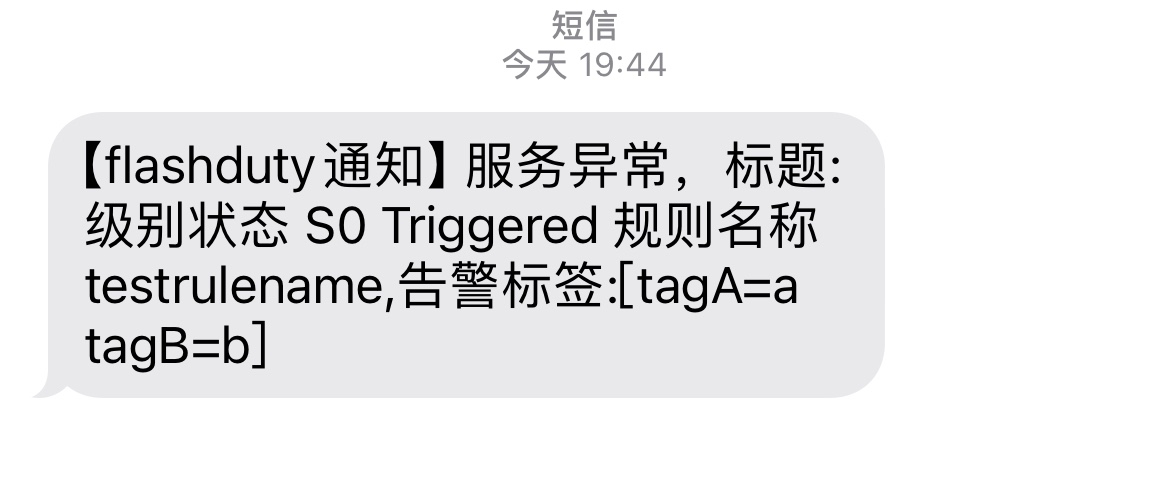
Configure alert rules —> Select ali-sms for notification configuration. Note that recipients in the receiving group need to have phone numbers configured.

6. Troubleshooting
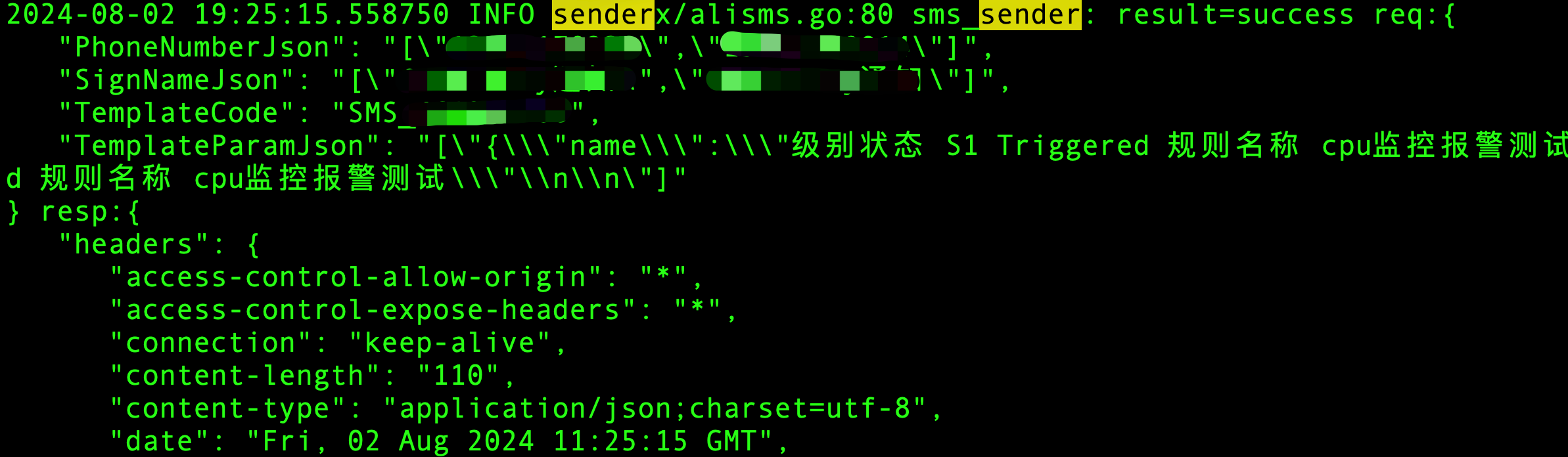
If you encounter issues when debugging Alibaba Cloud SMS notifications, you can first filter the logs using the keyword senderx/alivoice to troubleshoot.