
Introduction to Nightingale's Single Sign-On functionality
Configuration Example Explanation
# Whether to enable OIDC login functionality. Options: true/false
Enable = true
# The name displayed for OIDC login method in the frontend
DisplayName = 'OIDC Login'
# Redirect URL after successful OIDC authentication. This URL should be the callback address of the Nightingale monitoring service
RedirectURL = 'http://n9e-server:port/callback'
# SSO service address
SsoAddr = 'https://xxx.authing.cn/oidc'
# SSO logout address, used to handle user logout requests
SsoLogoutAddr = 'https://xxx.authing.cn/oidc/session/end'
# SSO service App ID
ClientId = '66988*************'
# SSO service App Secret
ClientSecret = 'cbc*************'
# Whether to override user attributes. Options: true/false
CoverAttributes = true
# Default roles for users in the Nightingale system. Options: Guest/Standard/Admin
DefaultRoles = ['Guest']
# Requested OIDC scopes
Scopes = ['openid', 'profile', 'email', 'phone']

# Mapping of OIDC user attributes to Nightingale user attributes
[Attributes]
# Mapping for username field
Username = 'sub'
# Mapping for nickname field
Nickname = 'nickname'
# Mapping for phone field
Phone = 'phone_number'
# Mapping for email field
Email = 'email'
Basic Configuration Explanation
Below is a basic explanation of the Authing OIDC configuration corresponding to Nightingale configuration:
The default RedirectURL is ‘http://n9e-server:port/callback’
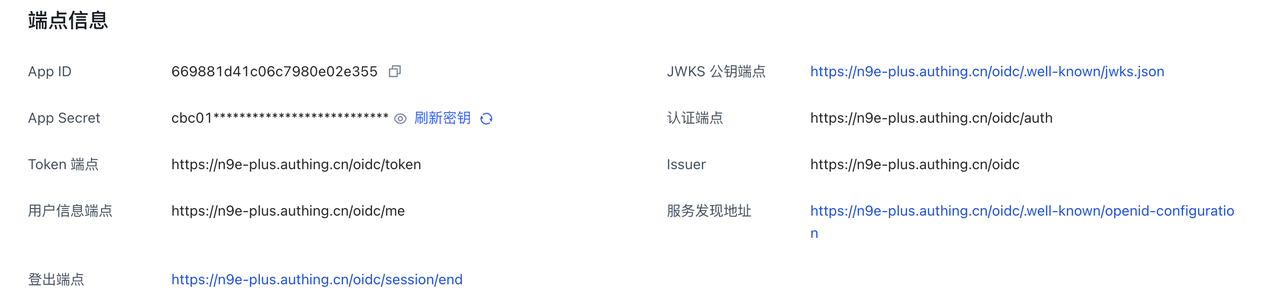
| Nightingale Configuration | OIDC Configuration |
|---|---|
| SsoAddr | Authorization Endpoint |
| SsoLogoutAddr | Logout Endpoint |
| ClientId | App ID |
| ClientSecret | App Secret |
Different OIDC service providers may have different field mappings. You can adjust these through the mapping relationships in the Attributes section of the configuration file. The following is an example of adjustment, mapping email to Username.
[Attributes]
Username = 'email'
Nickname = 'nickname'
Phone = 'phone_number'
Email = 'email'
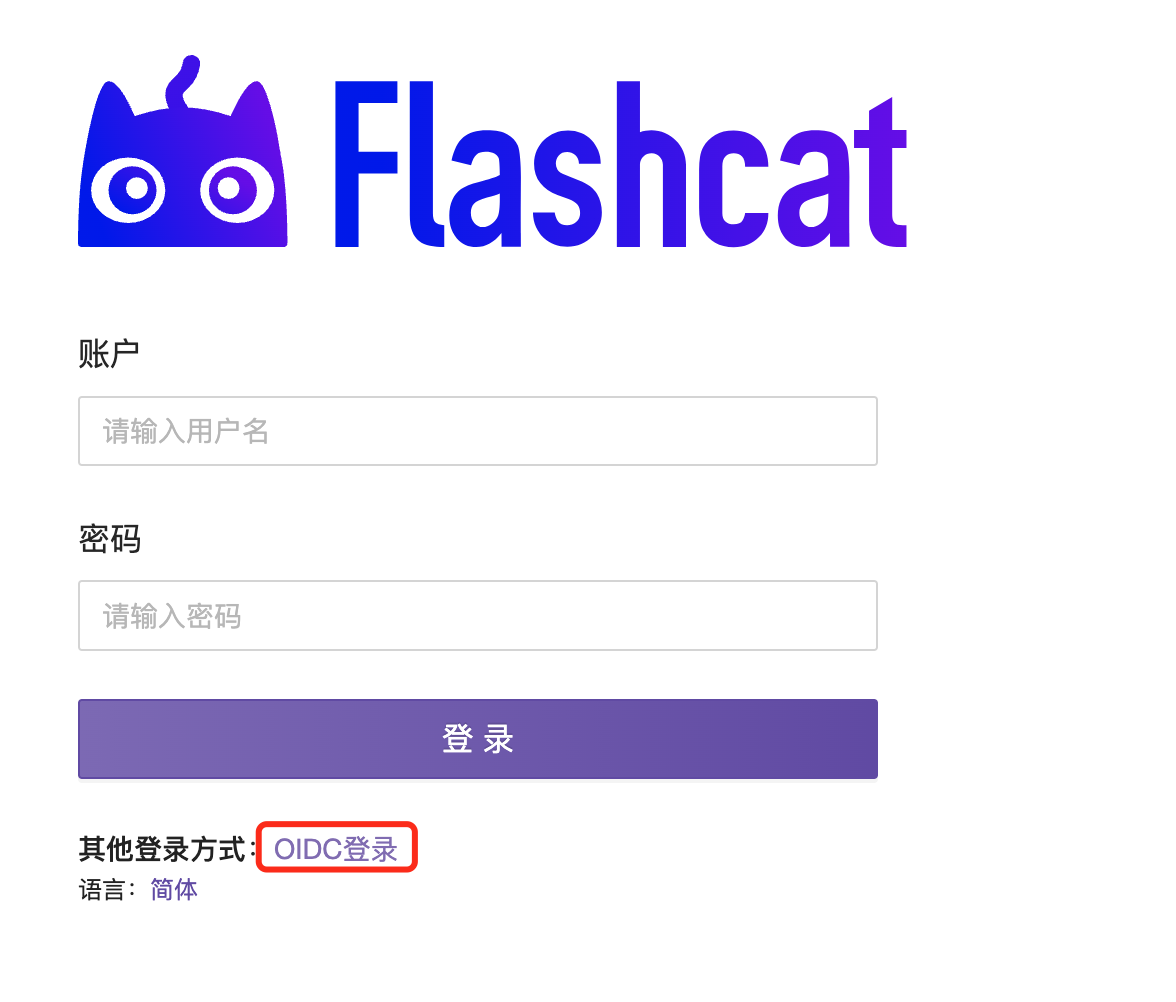
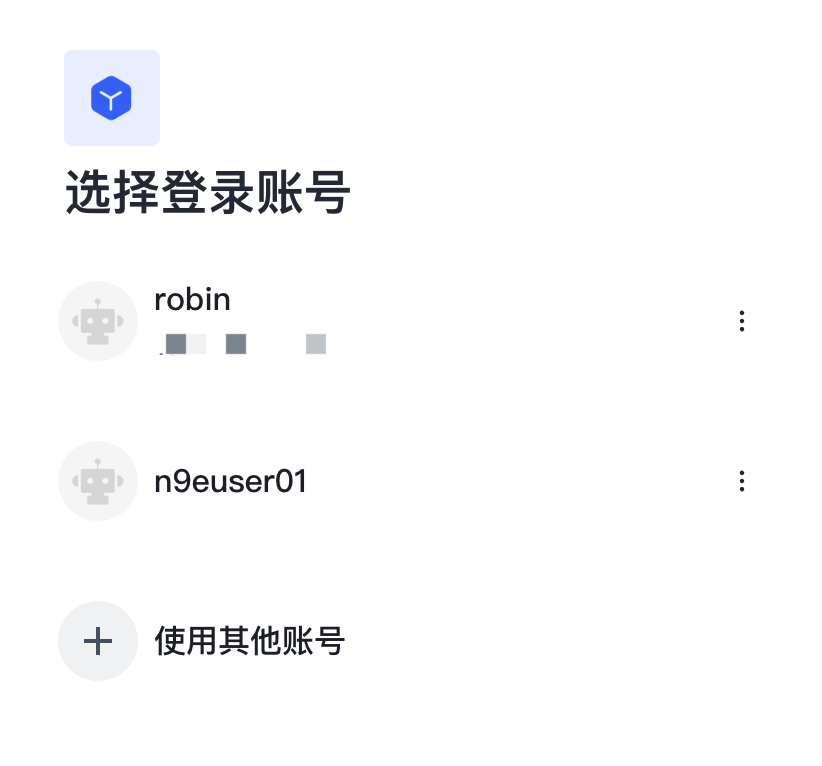
Account Login
Account Logout
Currently, direct logout of OIDC accounts from the Nightingale server side is not supported. If you need to log out of an account, you need to first log out from the OIDC service side, then return to the Nightingale service page and select account logout.






