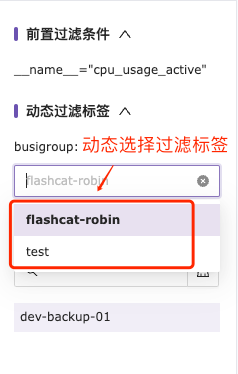
Introduction to Nightingale Quick View feature
For more detailed instructions, you can watch the Quick View video tutorial.
In the time series metrics, select the Quick View to enter the interface. The main features of the page are shown in the image below. Any query conditions must be based on selecting the specified data source in the top right corner.
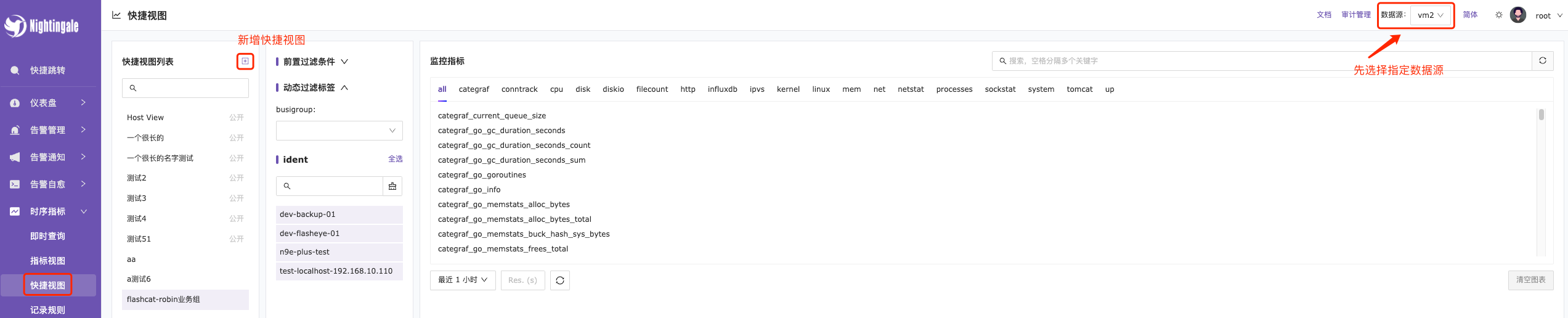
Adding a Quick View
Click the Add button in Quick View, configure the preconditions, dynamic filtering criteria, and display aggregation dimensions.
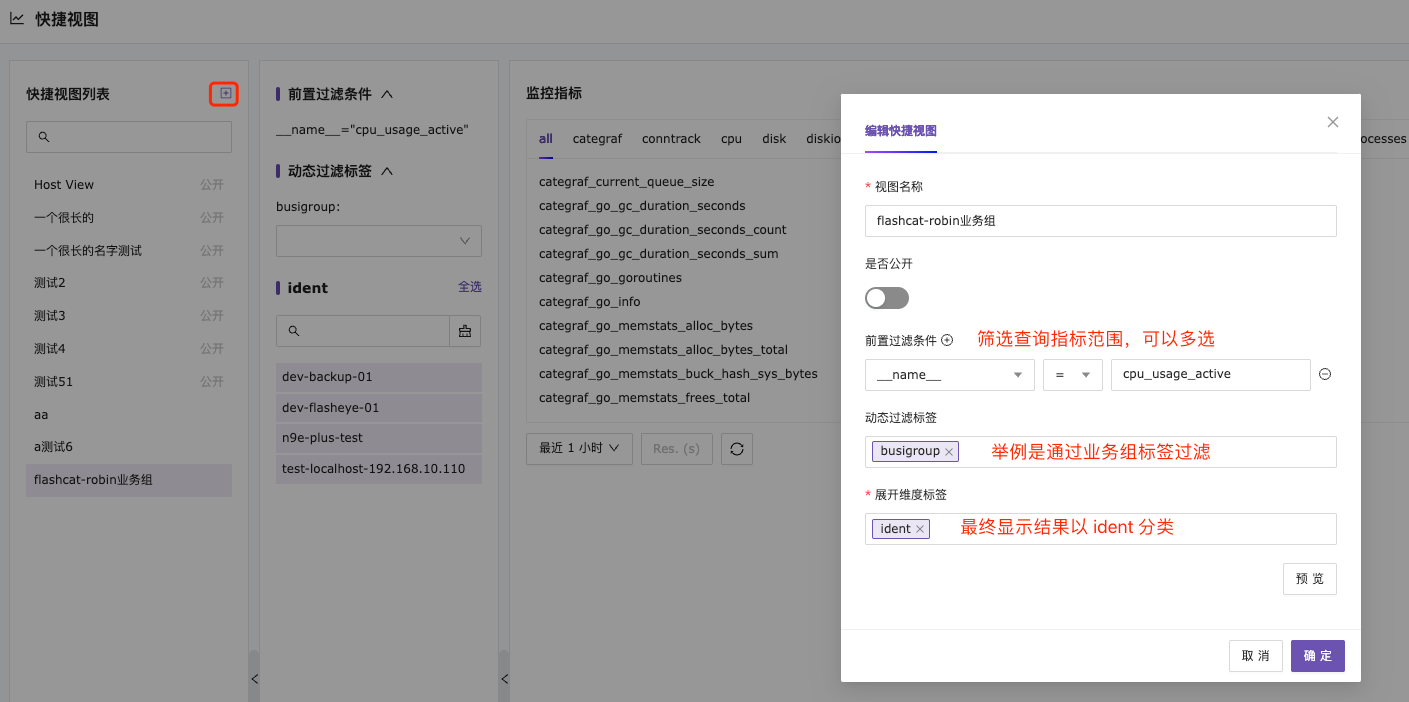
Finally, by gradually narrowing down the query range through two filtering conditions, the required aggregation results are displayed.