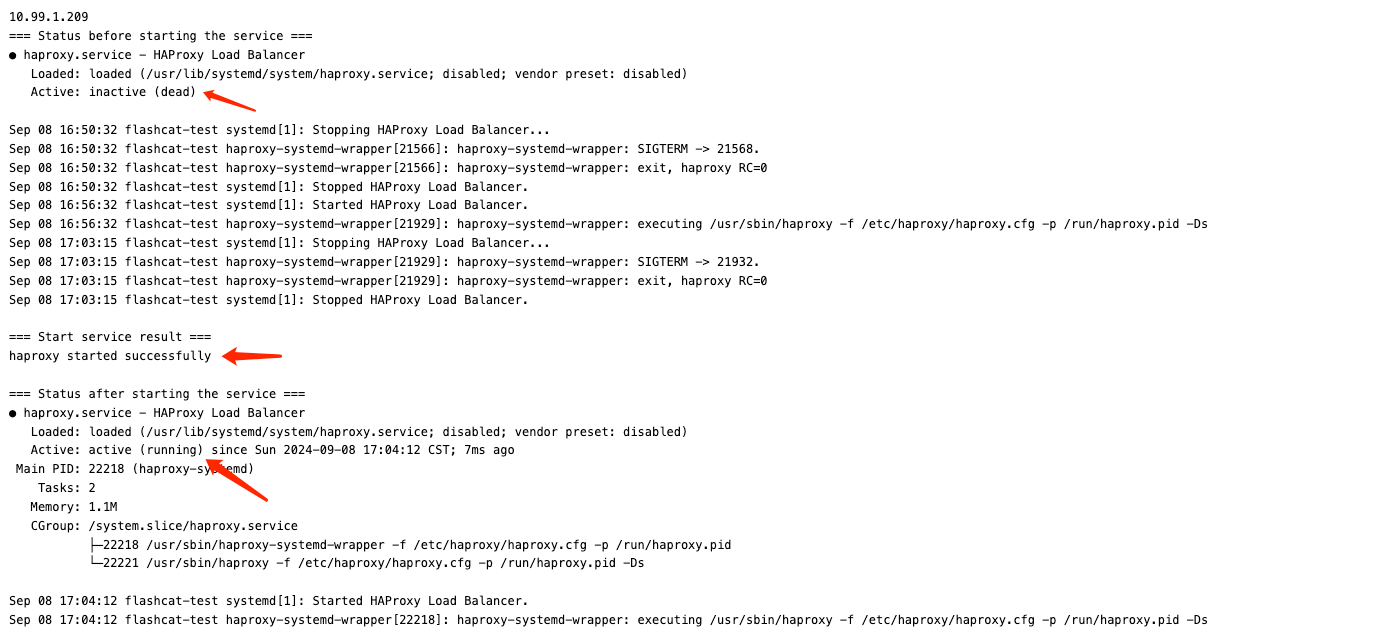
Nightingale Self-Healing Script
Prerequisites for Alarm Scripts
First, you need Nightingale v7.0.0-beta.2.0.1 or above. Older versions also had self-healing capabilities, but those required the additional installation of the ibex module. From this version onward, the ibex module is no longer required separately.
Modify Nightingale Server Configuration
In the Nightingale configuration file: etc/config.toml, search for Ibex and set Enable to true:
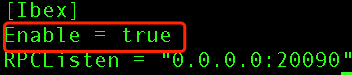
Restart Nightingale to apply the configuration. At this point, you can check the port 20090 that Nightingale server listens on by using ss or netstat. This is the port for Categraf to pull script tasks and report script results.
Modify Categraf Configuration
The Categraf configuration file is conf/config.toml. In conf/config.toml, search for ibex, set enable to true, and correctly configure the Nightingale server address and port:
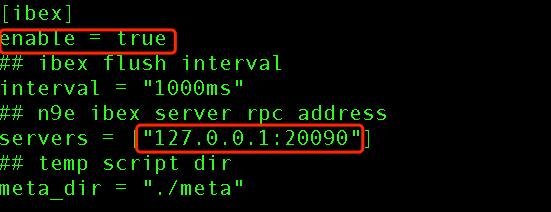
If you have a large number of machines, such as more than 10,000, it is recommended to adjust the interval to a slightly larger value, such as 2500ms, to avoid putting too much pressure on the server. The servers configuration is an array that lists all Nightingale server addresses. If you have multiple Nightingale server instances, Categraf will automatically detect and connect to the one with the smallest network delay. If a Nightingale server instance goes down, Categraf will automatically switch to another instance to ensure high availability.
After modifying the configuration, restart Categraf to apply the changes.
Configure Script
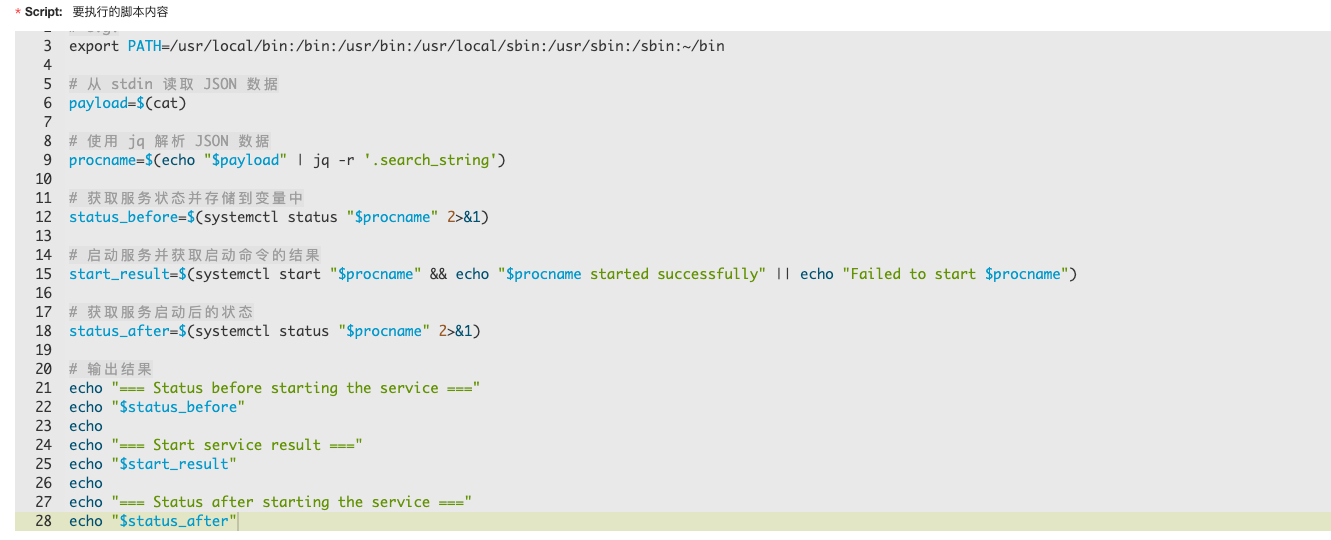
Below is a simple shell script that restarts a systemctl-managed service. It reads the process name from stdin and then executes the command to start the service. This script is compatible with most services managed by systemctl. For Python, refer here.
Associate Alarm Rule
After configuring the script, you need to configure the callback script address in the alarm rule.
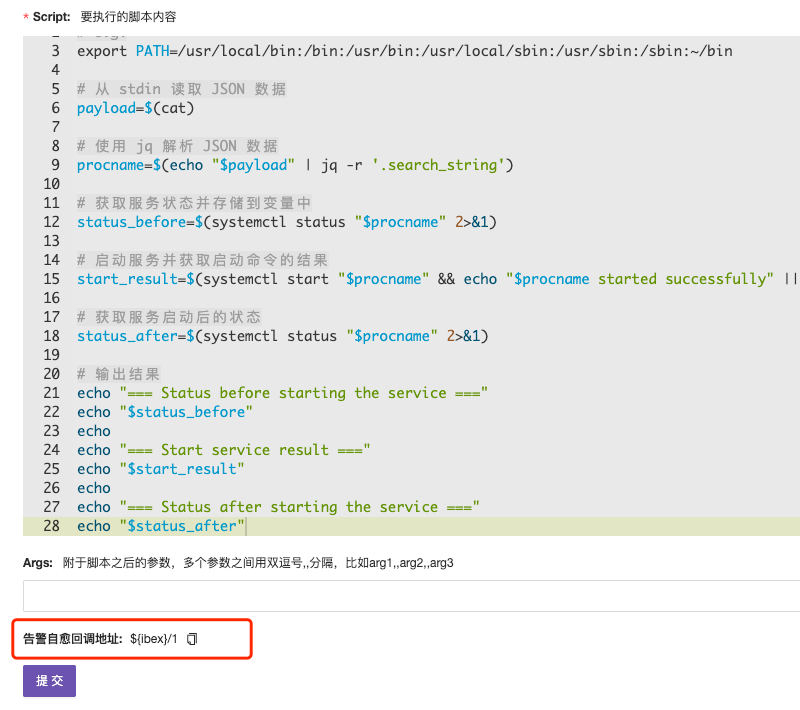
Fill in the self-healing callback address in the alarm rule callback URL.

View Self-Healing Script Execution Logs
Finally, after the process alarm is triggered, the script will automatically execute the recovery and service restart command.